VIDYARD VS SENDSPARK
Which Video Tool is Right for Your Sales Team?
Both Vidyard and Sendspark let you record and send videos to prospects. But which one is the right choice for your team and your business?

VIDYARD VS SENDSPARK
Feature Comparison
What are the differences between Vidyard and Sendspark’s video tools?
Vidyard and Sendspark both offer 1:1 video creation tools. They help sellers use video to connect with prospects.
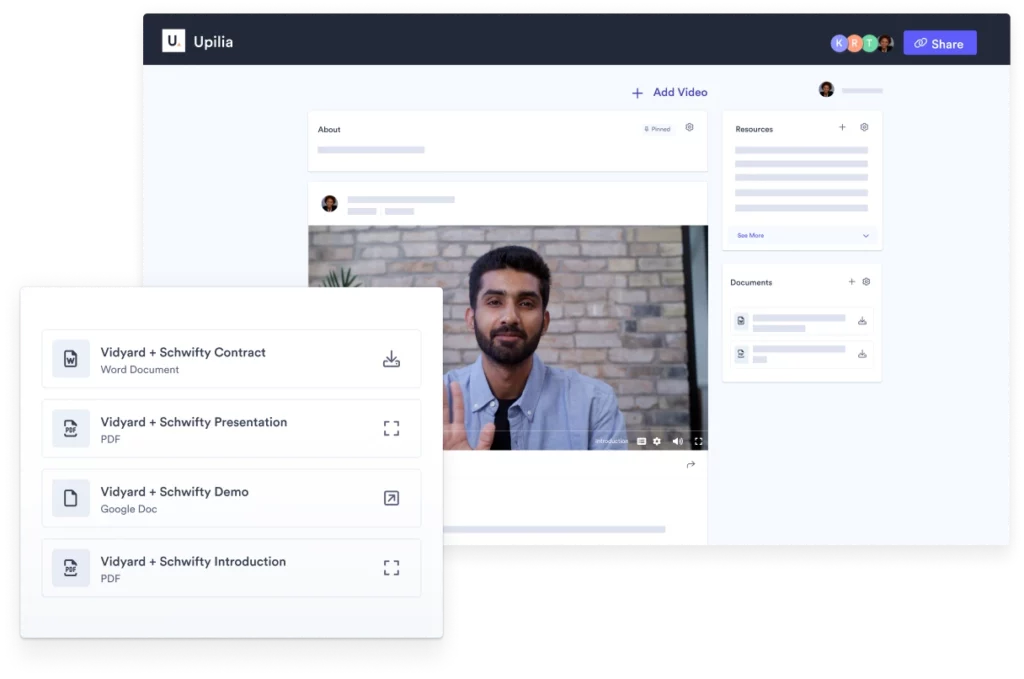
However, unlike Sendspark, 1:1 video creation is just one aspect of Vidyard’s wider video platform. Vidyard is designed for the full GTM team, including sales, marketing, and customer success. It offers multiple products that support buyer enablement throughout the lifecycle, not just in prospect outreach.
Sendspark is a good pick for sales teams looking to increase pipeline and connect with more prospects. But a sale doesn’t end when a prospect watches your video.
If you’re looking for an impactful way to drive more sales, revenue, and deals using video creation, video hosting, and AI-powered prospecting that's both personalized and automated, you need a full-suite option like Vidyard. It lets you manage all of your video content, propel buyers through their journey, and analyze your efforts to enable future success.
What can Vidyard do that Sendspark can’t?
A truly successful video selling strategy goes beyond just 1:1 outreach. Vidyard’s video hosting options empower you to share other types of deal-making video content, like hosting videos on your website or inside digital sales rooms. With Vidyard, you can provide everything that your buyer needs to make a confident purchase decision.
Vidyard also offers a mobile app for Android and iOS users so they can conveniently record, share, and track videos on the go.
On top of that, when you use Vidyard, you can:
Vidyard enables sellers and the GTM teams that support them to engage their buyers with the right information at the right time, ultimately driving more pipeline.







VIDYARD VS SENDSPARK
Price Comparison
Vidyard Pricing Overview
Sendspark Pricing Overview
Cost: Free
Max Number of Videos in Library: Unlimited
Max Number of New Videos per Month: 5
Max Video Length: 30 min
Vidyard Free includes up to 4K video creation and playback, video editing features, sharing via direct link or email, video view notifications and basic analytics, and certain workflow integrations.
Sendspark doesn't offer a free plan.
Vidyard Starter & Sendspark Solo
Cost: $59 USD/month
Max Number of Videos in Library: Unlimited
Max Number of New Videos per Month: Unlimited
Max Video Length: Unlimited
Vidyard Starter includes real-time viewer insights, in-video CTAs for lead capture and next steps, basic video sharing page customization, and video password protection.
Cost: $39 USD/month
Number of Dynamic Video Minutes: 200
Sendspark’s plan includes dynamic variables, dynamic backgrounds, AI name personalization, and the ability to remove Sendspark branding.
Vidyard Teams & Sendspark Plus
Cost: Available by request
Max Number of Videos in Library: Unlimited
Max Number of New Videos per Month: Unlimited
Max Video Length: Unlimited
Vidyard Teams includes fully customizable in-video CTAs, customizable video sharing page branding, video folder management, and advanced team performance analytics.
Custom AI Avatars are available as an add-on.
Cost: $129 USD/month per seat
Number of Seats 5
Number of Dynamic Video Minutes: 1,000
Max Video Length: Not listed
Sendspark’s plan includes email sequence and sales tool integrations, access to APIs and webhooks, and an admin dashboard.
Vidyard Enterprise & Sendspark Enterprise
Cost: Available by request
Max Number of Videos in Library: Unlimited
Max Number of New Videos per Month: Unlimited
Max Video Length: Unlimited
Vidyard Business includes unlimited integrations with sales and marketing tools, custom AI Avatars, SSO user management, and custom permissions and security options.
Available add-ons include Video Agent and Theta Lake compliance integration.
Cost: Available by request
Number of Dynamic Video Minutes: Unlimited
Max Video Length: Not listed
Sendspark’s plan includes a dedicated Customer Success Manager, team video training, high-priority support, security review, and SSO.
VIDYARD VS SENDSPARK
Which one is better for your business?
Both Vidyard and Sendspark have their own strengths and weaknesses. Choosing the best option will depend on your specific needs and requirements.
In-depth analytics, best-in-class integrations with leading CRMs and sales tools, the ability to automatically generate and send personalized AI videos in response to buyer behaviors, and a suite of buyer engagement features make Vidyard the best choice for go-to-market sales and marketing teams looking to create better buying experiences and incorporate video into their full go-to-market strategy.
Sendspark is great if your sales team is focused solely on scaling 1-1 video outreach and you’re looking for a quick and easy way to send personalized videos. They make it easy for small teams and small budgets to use video to effectively reach new prospects. But a sale doesn’t end when a prospect watches your video.
So if you’re looking for an impactful way to prospect with video, Sendspark is a strong option. But if you’re looking to drive more sales, revenue, and deals using video across the purchasing funnel, you need a full-suite option like Vidyard to manage content and all the users that rely on it to succeed.