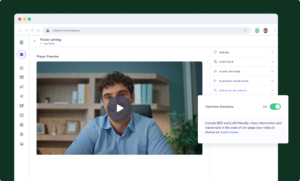

 Video Messages
Record personal videos to reach more customers.
 Video Agent New
Automatically send personalized videos with agentic AI.
 Vidyard Hosting
Manage all your business videos in one central spot.
 Vidyard AI Avatars
Generate personalized AI videos at scale.
 Vidyard HubsSee All Features →
Curate and share your best videos in one branded page
 Prospecting and Intros
Stand out and improve response rates.
 Sales
SalesGenerate more pipeline and close more deals.
 Post-Sales
Keep customers engaged after the deal closes.
MarketingHost video content and convert viewers into leads.
 Converting and Closing
Connect with buyers and close more deals.
 Corporate Comms
Create and deliver an internal communications strategy.
See Vidyard in Action →
“Personalized Vidyard video messages drove an 8x improvement in click-through rates and a 4x improvement in reply rates.” Read More
 Blog
BlogThe secrets to virtual selling and video best practices.
Video Agent HubCase studies and how-to videos for every revenue use case.
 Help Center
How-to and help articles for all things Vidyard.
 Fast Forward
Expert advice on all things virtual selling.
 Use Cases
Explore real ways to use video across your business.
AI Resource HubGuides and ideas for using AI in your workflow.
 Case Studies
Learn how our customers win more with Vidyard.
 Live Workshop Series
Showing you exactly how to put video to work.







5 Best Prospecting Tools to Boost Sales in 2025
Apr 21, 2025
·
18 min read

Roy Reif
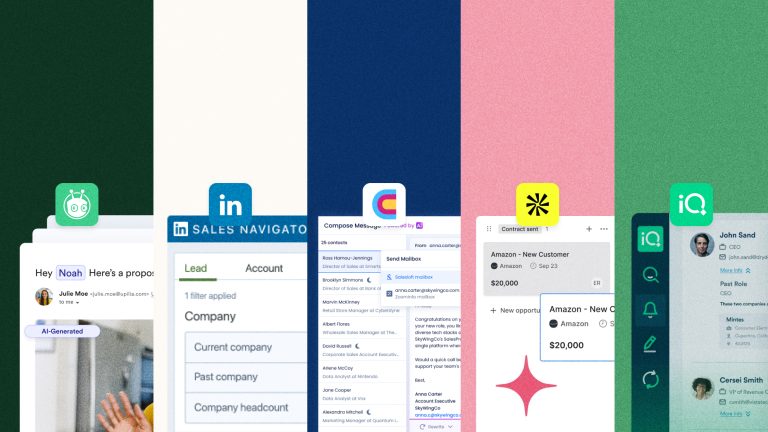
Discover the best prospecting tools used by sales teams to boost sales and their key features and best use cases.
Sales teams are inundated with prospecting tools. They’re marketed towards helping sellers with lead generation, lead qualification, automating outreach, and sales analytics.
But prospecting is still one of the hardest parts of sales. 42% of salespeople rank prospecting as the hardest part of their job, ahead of closing deals (36%) and qualifying leads (22%).
While sales teams can have dozens of tools at their disposal, how do salespeople and leaders know which ones will really move the needle? It’s likely that you’ve got the basics covered, like contact data and a CRM—but what are the tools that can help take your team to the next level?
We’ve already covered a list of amazing AI sales tools. This time, we’ll discuss the top sales prospecting tools that teams can use to stand out in inboxes, make great first impressions, build immediate trust with prospects, and set deals up for success from the very first touch.
Keep reading for a list of recommended sales prospecting tools, along with customer reviews and advice on how to choose the best prospecting tools in 2025.
Table of Contents
5 best prospecting tools to boost sales in 2025
1. Vidyard

About Vidyard
Vidyard is an AI-powered video selling platform.
With Vidyard Video Messages, sellers can record and send personalized video messages to prospects—something that’s proven to be an incredibly effective prospecting strategy. 63% of salespeople say that video outreach increases their response rates!
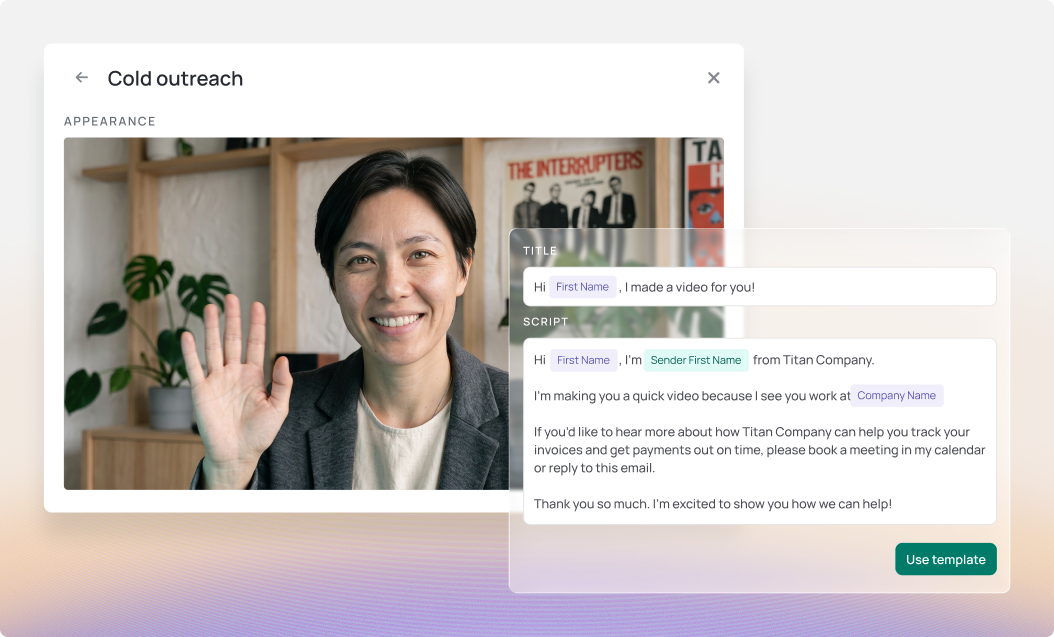
On top of that, Vidyard’s Video Sales Agent scales up video outreach with agentic AI. When a prospect takes a specified action, like downloading an asset or registering for a webinar, Video Sales Agent automatically generates and sends a personalized video using a sales rep’s AI Avatar.
You can effortlessly follow up on a successful cold call or email response by automatically sending a tailored video. It instantly gets you face-to-face with your prospect—and you don’t even have to get in front of a camera.
Watch this 1-minute video to see more.
G2 rating: 4.5 out of 5 stars
Key features
- Record one-to-one videos from your browser, then get a notification when the video is viewed so you can follow up ASAP.
- Automate the creation and delivery of personalized video responses based on pre-defined triggers in your CRM and other sales tools.
- Identify and incorporate top-performing scripts and CTAs across the full sales team, helping everyone connect with prospects and close deals more effectively.
Pros and cons
Pros
- Seamless integration with widely-used sales platforms, including Salesforce, Hubspot, Outreach, and Marketo.
- Hyper-realistic videos featuring AI Avatars of your sales team.
- Comprehensive video engagement analytics to track views, completion rates, and click-through rates.
Cons
- AI Avatar videos are optimized for shorter messages to drive more immediate impact.
- Full functionality of Vidyard’s Video Sales Agent may depend on third-party integration capabilities.
Pricing
Free trial; pricing available on request. Certain features like Video Sales Agent and AI Avatars are available on Teams and Enterprise plans.
Record once to create your free AI avatar, then generate on-demand videos that bring personalization to scale.
2. LinkedIn Sales Navigator

About LinkedIn Sales Navigator
If your sales team isn’t using LinkedIn Sales Navigator yet, or not using it to its full potential, you’re definitely doing yourself a disservice. LinkedIn continues to be the go-to social media platform for business professionals. Plus, new Sales Navigator features are making it easier for teams to connect with prospects.
G2 rating: 4.3 out of 5 stars
Key features
- Pinpoint the right prospects by applying search criteria such as industry, company size, seniority level, geography, and more to create highly targeted lead lists.
- Receive AI-driven suggestions for new leads based on your existing network and search preferences, helping you discover previously untapped opportunities.
- Use InMail to reach out to potential prospects directly—even if you’re not connected—allowing you to start meaningful conversations and increase your chances of engagement.
Pros and cons
Pros
- Integrates with various CRM and sales prospecting software to streamline lead management and follow-up.
- Provides alerts on job changes, shared content, and company news so you can engage with prospects at relevant times.
- New AI features help teams connect smarter, craft better outreach, and ask for introductions based on mutual connections with TeamLink.
Cons
- Takes time to explore all features to effectively utilize filters and InMails.
- InMail credits can be limited, and some prospects ignore or reject these types of messages.
- Can be expensive for small businesses or individual sales professionals.
Pricing
Tier-based pricing, starting from $90 USD/user/month. Pricing varies based on team size and functionality requirements.
3. Clay
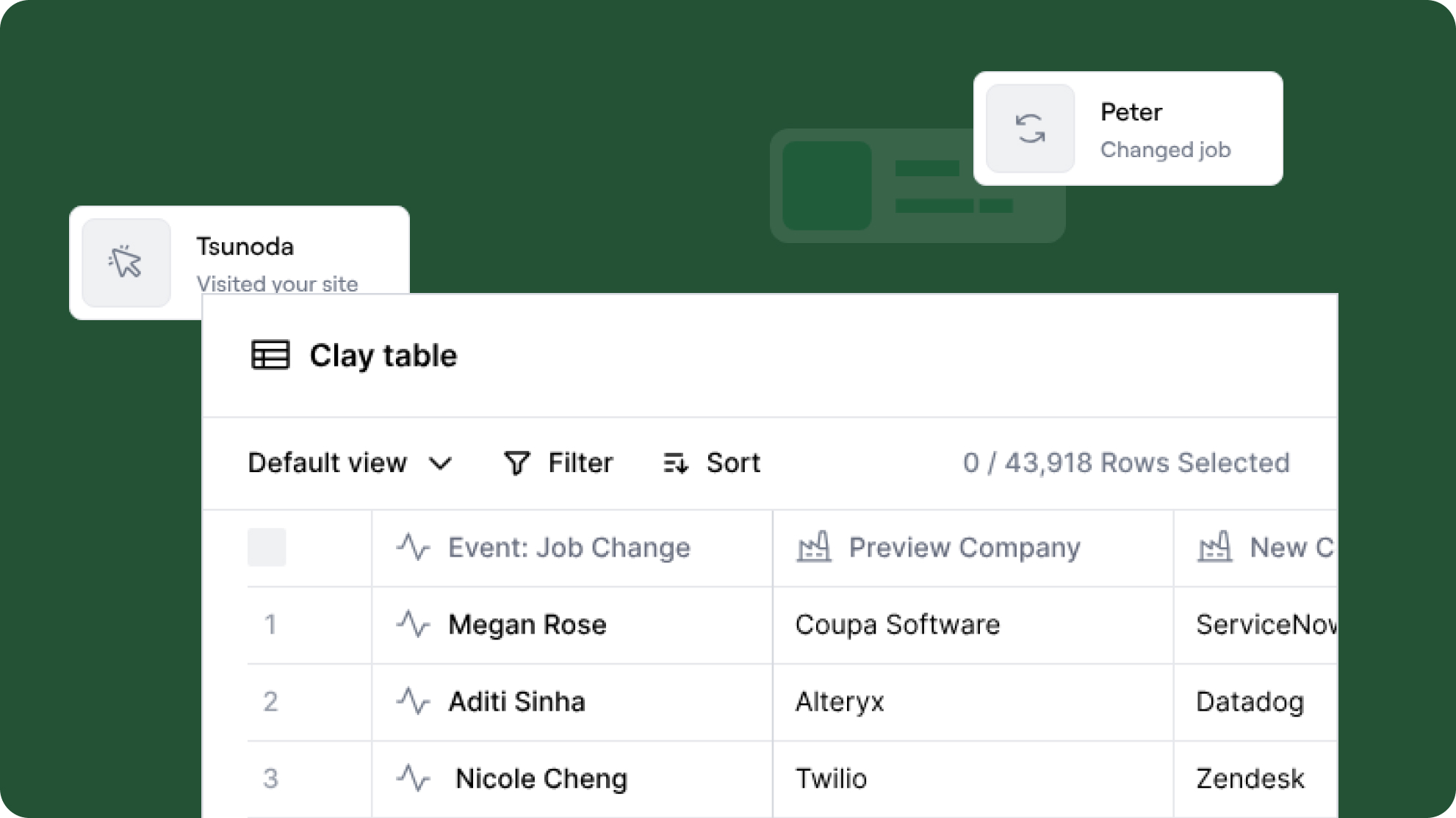
Clay hit the scene and revolutionized contact data and data enrichment. It provides go-to-market teams access to 100+ premium data sources, along with AI research agents, all in a single platform.
G2 rating: 4.9 out of 5 stars
Key features
- Users automatically get access to over 100 data providers via API, including LeadIQ, Zoominfo, Clearbit, and Hunter—helping ensure data coverage and accuracy.
- Clay’s AI agents automate manual research tasks, such as detecting fraudulent domains, summarizing prospect details, and creating customizable lead scoring models.
- Offers highly customizable integrations with your existing tech stack, including popular CRMs.
Pros and cons
Pros
- Provides an all-in-one data solution with buyer intent data, technographic data, and contact data without the need for separate contracts with each data vendor.
- Accommodates sales teams of every size and sector, with a special emphasis on contact data for niche markets like restaurants, hotels, and auto shops.
Cons
- Users report requiring technical expertise for setup and B2B database access.
- Reviews also say that Clay doesn’t have the most user-friendly frontend experience.
Pricing
Free tier available. Paid plans starting at $149/user/month.
4. Apollo.io
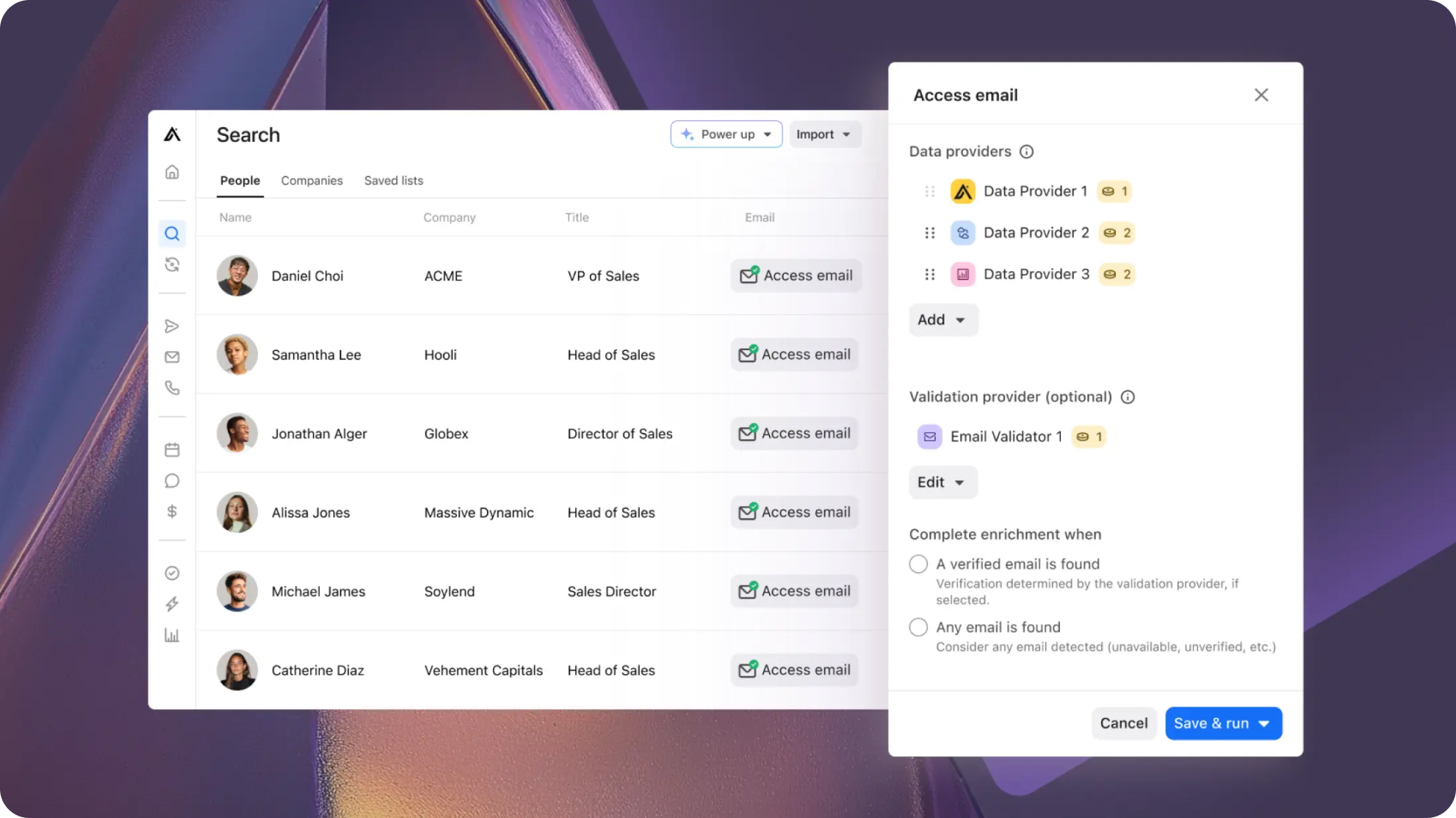
Apollo has expanded beyond its foundations in contact data. It now bills itself as an end-to-end AI sales platform, featuring various prospecting tools like Pipeline Builder, Call Assistant, Data Enrichment, and their Go-to-Market Platform.
G2 rating: 4.7 out of 5 stars
Key features
- Teams can access multiple data providers in one place, with an AI assistant to help craft outbound messages.
- Assisted meeting scheduling, recording, transcriptions, pre-meeting insights, and post-meeting follow-ups.
- Email automations and sequences in a single sales intelligence platform with real-time recommendations.
Pros and cons
Pros
- Provides access to extensive contact, company, and intent data.
- Uses machine learning to surface high-potential leads and suggest targeted outreach strategies to increase conversion rates.
- Features multi-channel automation tools for email campaigns, calls, and follow-ups.
Cons
- Teams who are already using other sales and prosecuting tools may only want Apollo’s contact data information, but are now forced into purchasing Apollo’s surrounding services.
Pricing
Free tier available. Paid tiers starting at $49 USD/user/month.
5. LeadIQ

LeadIQ’s Prospecting Hub provides sales teams with contact information, and helps them write personalized sales emails using an AI-powered email generator.
G2 rating: 4.2 out of 5 stars
Key features
- Capture and enrich contact details from platforms like LinkedIn or company websites, ensuring prospect data is comprehensive and up-to-date.
- Sync leads, activities, and engagement data directly with your CRM, eliminating data entry tasks while maintaining a unified view of prospects.
- Generate personalized sales emails with AI, with relevant company information integrated into messaging.
Pros and cons
Pros
- Free Chrome Extension offers helpful features for the prospecting process when using LinkedIn.
- Robust, high-quality database with built-in job change notifications.
Cons
- Some less common sales tools and CRMs don’t integrate seamlessly.
- Only provides access to contact information database.
Pricing
Free tier with Chrome Extension. Paid plans starting at $36 USD/user/month.
What are the benefits of using sales prospecting tools?
While we all wish that a steady stream of leads would naturally appear every day, that’s unfortunately not the reality for most sales teams. That means you have to actually go out and find potential customers to build relationships.
Easier said than done, we know. But arming your team with the right tools is a massive help. And we do mean the right tools, because the wrong tools almost always lead to frustrated reps, slower sales cycles, and deals getting lost in the shuffle.
By being purposeful with your tool selection, the benefits become pretty clear.
1. Optimized personalized outreach for more efficient prospecting
Time is money, especially in sales. Rather than wasting time on manual prospecting efforts (from finding email addresses to drafting personalized messages), the best tools can take care of it all for you.
Savvy sellers already know that video is one of the top-performing ways that teams can break through the noise and build connections. Now imagine a world where you can send 100+ hyper-realistic, individually personalized videos in a matter of minutes.
With tools like Vidyard’s Video Sales Agent, your team can automatically send individualized videos in response to prospect’s behaviors. When they read an ebook or request a call, your prospecting tool can instantly send a personalized video follow-up—without you having to lift a finger.
With a one-time workflow setup, you can continuously send personalized videos on your team’s behalf.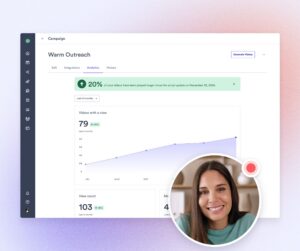
2. Enhanced lead qualification to prioritize high-intent buyers
Whether you’re meeting a prospect at a trade show or they’re filling out a form on your website, you want to know as much about that prospect as quickly as possible. This isn’t just so you can understand if they fit your ideal customer profile–but because as many as 50% of sales go to the vendor that responds first.
Your team can use prospecting tools to quickly gather the foundational information they need to score leads, follow up promptly, and understand who the decision makers are.
Keeping tabs on engagement data is also crucial. For example, you can use Vidyard’s video view analytics to track which prospects are watching videos. Your team can then translate individual prospects’ levels of engagement to prioritize the most committed leads.
3. Better understand your ICP to drive insights for smarter selling
Have you ever been in a situation where your team had to close every deal possible, no matter what? After a few months, those customers never fully onboard—and at renewal time, they churn, because ultimately they were never going to be a good customer.
That’s why clearly identifying your ideal customer profile (ICP) and target accounts is so important. It helps ensure long-term revenue growth rather than short-term wins. If the entire company is busy providing customer support to customers who are just going to churn, or focusing product development on features that ultimately won’t move the needle, it’s bad news for the entire organization!
By investing in prospecting tools that leverage artificial intelligence, you can extract deeper insights for smarter selling. This could mean understanding whether prospects really fit your ICP, or crafting the type of message that resonates the most with your desired customer profile. Investing in this area is extra important for startups or companies launching new products.
How to choose the best prospecting tools for your business
At this point, you have a list of the top prospecting tools and clearly understand the benefits of investing in these types of tools. But how do you choose the best prospecting tools for your team?
Here’s a 5-step process to help you choose the right tool for your use case.
Step 1: Define your prospecting goals
Every team can benefit from improving their prospecting efforts—but there are no silver bullets that will magically fix your sales strategies or grow your sales pipeline automatically. What would move the needle the most based on where you are right now? Personalization? Automation? Data-driven insights?
If you’re a small startup, you may not have basic tools in place that could save a ton of time. If you’re at an enterprise company, you likely have those basics covered—so, instead, you should look to extract more insights from the data you have, so you can take those learnings into your prospecting efforts.
So get really, really clear on what you’re trying to solve by adopting a new tool. You might start by writing down your ultimate end goal. Here are a few examples to inspire you:
- Having a 90% accuracy rate on email addresses for cold outreach
- Understanding what content is the most engaging to your perfect prospects
- Reducing certain manual tasks in your team’s sales process
Step 2: Consider key features and functionality
Once you’ve charted your endgame, your next step is to develop an understanding of the actual features and functionalities you need to achieve your goals. Given the vast number of tools available, it’s important to clearly define what you’re looking for in the next tool your team tests out.
Back in the day, you may have broken things down by categories of prospecting tools, such as tools for company data, outreach, and follow-up.
But many basic sales prospecting tools have been updated with AI advancements. This gives them the ability to cover many of those categories at once.
So what are the features that your dream tool would have? Start by creating a list of requirements, like certain features or integrations. Break those requirements down into “must-haves” and “nice-to-haves”.
Here are a few questions to ask during this process:
- Do you only need prospects’ contact information, or do you need a more comprehensive prospecting solution?
- Are you looking for a platform that can help with specific elements of the prospecting process, such as sending AI-generated personalized emails?
- Which features would actually improve your response rates (or another critical KPI)?
Step 3: Read reviews and compare ratings on G2 or other review websites
How do you usually go about finding new tools? Most folks still go to Google as a first step—but we also suggest seeing what comes up when you ask generative AI tools like ChatGPT, Claude, or Grok. Here’s an example AI prompt:
“I work at a [type of company]. We have a sales team with [X] team members. We’re looking for a new prospecting tool that would help us achieve [insert goal from step 1] and has [insert feature requirements from step 2]. What are ten sales prospecting tools that fit this criteria?”
(When asking AI, make sure you’re using a model that works from up-to-date information. Some models’ datasets are only current up to a certain year, like 2021 or 2023.)
From there, take a look at popular review sites like G2 or TrustRadius. People who are already using these products leave honest feedback to help future buyers make informed decisions. You can search the reviews based on certain criteria, such as specific keywords, company size, user roles, or a certain star review. (We suggest searching reviews with 3 and 4 stars, as they tend to be the most helpful!)
At the end of this step, you should have a shortlist of tools that can meet your needs. Make sure you check out each company’s website to get a real feel for their products, as well as double-checking that they have the features and integrations you’re looking for.
Step 4: Evaluate pricing and budget
Once you’ve identified your list of top contenders, there’s one last thing to do before you reach out for a demo. You need to understand the costs of the product…and we’re not just talking about the pricing.
Most tools have a cost for access, usually per user per month. But many teams forget the soft costs that are also associated with bringing on a new tool. This includes team training and onboarding, technical setup, process disruptions, and maintenance and support costs.
For example, setting up Salesforce is a pretty big undertaking, especially if teams want to do it right the first time and get the most value out of all their features. But setting up Pipedrive or Copper are much easier endeavors. If those smaller solutions deliver all the features you need, it may be in your team’s best interest to go with the lower-lift option.
You can gather information about ancillary costs by scouring the product’s website, or searching social media sites like Reddit.
Step 5: Request a demo or trial to test the tool
Does the company offer a free tier or trial of their product? Or do they require you to speak to the sales team before testing out the tool?
We recommend always requesting a demo and testing out the product whenever you can. This way you not only get a personalized demonstration tailored to your needs, but also a sense of how the company treats its customers. Are they not following up with the info you requested? Does their team feel a little too pushy? Does their website say one thing but their product, but in reality, it works differently?
If you’re only experimenting with a free tier or trial, certain features and functionality might be limited—meaning that you’re not seeing the platform’s full potential. If you request a demo and are honest about the fact that you’re testing out a few tools, you may be able to get access to a full version of the product so you can really take it for a spin.
And make sure that you have an actual test prepared! You should try to perform the same processes across each of the products you’re testing. Don’t just get in there and click around—have a clear plan to evaluate!
Here’s how you can be sure you’re giving each product a fair shot: Tracking your findings on a scorecard. Here’s an AI prompt to help you craft a unique scorecard:
“We are evaluating several tools to help with [insert goal from step 1]. Each tool has [insert feature requirements from step 2]. But we also need to look at the setup process, training requirements, and customer service. Create an evaluation scorecard we can use to keep track of each company and rate them across the important categories.”
At the end of this testing process ,you may have narrowed the field to one or two top tools. This is where you can take another look at pricing, get your team’s feedback, and negotiate with the vendor to see if they can offer you a deal.
Who benefits from prospecting tools?
While everyone on the team ultimately benefits from having the best sales prospecting tools, the most direct benefits will be to the team members who are using them daily. However, you shouldn’t sleep on the benefits that these tools can also offer to managers and even company executives.
Sales Representatives (SDRs)
Sale Representatives, also known as SDRs, are the quarterbacks of closing deals. While often the most junior role in the sales team, they’re the frontline of your sales team. Once they get the prospect engaged, they pass it along to the closers. They’re the ones in the weeds trying to identify potential customers, drafting cold emails, and setting up the initial meetings.
SDRs’ opinions matter the most when adopting a new tool—because they’re the ones ultimately using it. If management loves a tool but the SDRs don’t, chances of it getting adopted and integrated into their daily workflow is slim.
Explore our agentic AI playbook for SDRs.
Business Development Representatives (BDRs) and Account Executives
BDRs and Account Executives are the ones in charge of closing the deal. SDRs pass the ball over to these reps in order to move the deal down the funnel while tackling the prospect’s questions and concerns.
These sellers are still pretty active users of prospecting tools, including CRMs, company and contact data tools, and sales video platforms. But they’re also using other tools in the stack throughout their day-to-day, such as sales engagement platforms, meeting schedulers, and AI notetakers. BDRs and Account Executes are focused on getting the manual tasks off their plate so they can spend more time doing what they do best: closing deals.
Dive into our agentic AI playbooks for BDRs and Account Executives.
Sales managers
Sales managers and other leaders are focused on ensuring their teams are as productive as possible and on track to hit their goals. Managers should also be able to identify high-intent leads and help their teams prioritize certain tasks and deals.
They want to have data at their fingertips that can help them accomplish two goals: Helping their team be the best sellers they can be, and translating sales data into insights for company executives. So while managers may have the least direct involvement with these kinds of tools, they need to be able to extract insights and prove ROI from each prospecting tool their team uses.
Which sales prospecting tools will you test out?
Whew, that was quite the guide! We hope you now have a clear action plan on how to pick the best prospecting tool for your business, along with some top options to explore.
And remember, if you want to stand out in a crowded inbox you need to be using video! Vidyard’s personalized video messages are highly effective at engaging prospects – no matter if you’re recording videos manually or using AI to automatically send personalized videos at scale.
With a one-time workflow setup, you can continuously send personalized videos on your team’s behalf.