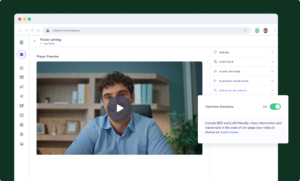

 Video Messages
Record personal videos to reach more customers.
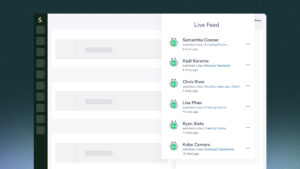
 Video Agent New
Automatically send personalized videos with agentic AI.
 Vidyard Hosting
Manage all your business videos in one central spot.
 Vidyard AI Avatars
Generate personalized AI videos at scale.
 Vidyard HubsSee All Features →
Curate and share your best videos in one branded page
 Prospecting and Intros
Stand out and improve response rates.
 Sales
SalesGenerate more pipeline and close more deals.
 Post-Sales
Keep customers engaged after the deal closes.
MarketingHost video content and convert viewers into leads.
 Converting and Closing
Connect with buyers and close more deals.
 Corporate Comms
Create and deliver an internal communications strategy.
See Vidyard in Action →
“Personalized Vidyard video messages drove an 8x improvement in click-through rates and a 4x improvement in reply rates.” Read More
 Blog
BlogThe secrets to virtual selling and video best practices.
Video Agent HubCase studies and how-to videos for every revenue use case.
 Help Center
How-to and help articles for all things Vidyard.
 Fast Forward
Expert advice on all things virtual selling.
 Use Cases
Explore real ways to use video across your business.
AI Resource HubGuides and ideas for using AI in your workflow.
 Case Studies
Learn how our customers win more with Vidyard.
 Live Workshop Series
Showing you exactly how to put video to work.




B2B video messaging platforms: 2026 buyer’s guide
Sep 24, 2026
·
6 mins

Vidyard

Compare B2B video messaging platforms and learn when your team also needs video hosting, website embedding, and branded video Hubs.
Video communication is driving deals. Sales, marketing, and customer success teams use it to stand out in crowded inboxes, run stronger ABM campaigns, and build trust with customers.
Choosing a B2B video messaging platform starts with how your team plans to use video. You might send personal follow-ups, embed product demos on your website, organize webinar recordings, or give customers a place to find onboarding videos.
This guide compares B2B video messaging platforms and explains when additional hosting and content-management capabilities matter. Use the comparison table below to see what matters most for your use case, then dig into the vendor profiles.
Video messaging as a GTM communication channel
Personalized video communication is not just another sales tool. It’s a form of communication that sits alongside phone calls, email, online meetings, and social media in modern revenue operations.
Why video messaging is a must-have
Inboxes are flooded with generic, badly personalized emails. Low response rates, a preference for async communication, and larger buying committees have all fed the rise of personalized video.
That’s true across the funnel. Sales teams use it for cold outreach and deal follow-up. Marketing teams use it to follow up on campaigns and explain a product in a customer’s own context. Customer success teams use it to walk a customer through onboarding or answer a support question with a face instead of a wall of text.
Similar to how email marketing evolved from experimental to essential infrastructure, video is going through the same transformation. Thanks to the rapid evolution of the technology infrastructure powering video platforms, like AI automation, CRM integrations, and in-depth video analytics, it is easier than ever for teams to get started and scale their video efforts.
Video messaging, video hosting, and video hubs: What’s the difference?
These three categories often get lumped together, but they solve different problems. Here’s how to tell them apart.
| Buyer need | What to explain | Practical example |
| Video messaging | Record and share a message for a person or small group. | Send a prospect a demo recap or a customer a troubleshooting walkthrough. |
| Video hosting and embedding | Manage video assets and publish them where people already consume your content. | Embed a product demo on a product page. |
| Branded video destinations | Assemble selected videos into an experience visitors can browse. | Create a webinar collection, customer learning destination, or account-specific resource. |
Hosting manages and publishes your videos. Hubs bring selected hosted videos together into a branded destination.
Vidyard Hosting gives your team one library for every video you produce. Upload demos, customer stories, and brand videos, then organize them with folders and permissions. Publish or embed any video on your website, in email, or on social. Control the player with custom thumbnails, chapters, and in-video CTAs. And track who’s watching, for how long, and what they click, with analytics that sync straight to your CRM.
Vidyard Hubs takes videos you’ve already hosted and turns them into a branded destination. Curate a set of videos around a webinar series, a campaign, or a customer education program. Add your own branding, a custom domain, and CTAs that guide viewers to the next step. Set access controls when content is for customers or partners only.
Not every video needs a Hub. Most of your library will live in Hosting alone. Reach for a Hub when you want to group related videos into one experience, like a webinar collection or a customer onboarding center.
How to choose the right B2B video messaging platform
We’re going to encourage you to move from a feature checklist to an outcome-based evaluation when it comes to picking the best tools for your team. To do this, start with the revenue impact you’re looking for and the ways in which your team can scale video messaging, then work backward to determine the necessary features and integrations.
Define your revenue workflow needs first
What primary challenges are you looking to improve?
- Top-of-funnel engagement: Prospecting through ABM campaigns or cold outreach, product demos embedded on your website, and webinar recordings that keep earning views after the event.
- Mid-funnel deal progression: Reducing no-shows, following up after meetings, curating content for key accounts, and keeping the whole buying committee on the same page.
- Post-sale retention: Onboarding new customers, ongoing customer education, landing and expanding, and renewals.
As you read on, think about which areas in your existing processes can be most accelerated or scaled through the power of video.
Check hosting and content-management needs
If your team also publishes marketing, educational, or customer-facing videos, evaluate how the platform supports hosting, embedding, and ongoing content management.
Video embedding puts a working video player right on your website, product page, or help content, using your existing CMS, so visitors watch without leaving the page. That’s different from video hosting alone, where the video lives on its own page and you share a link or thumbnail through email instead.
From there, look at the details that decide whether the platform actually fits how your team works. Can you control player branding, CTAs, captions, and the viewing experience? Can you keep a growing video library organized, and can marketers build and update a searchable destination without waiting on developers? What access controls exist for customer or account-specific content, and how well does the platform handle metadata like titles, descriptions, and chapters for search and accessibility?
And don’t overlook security and follow-up. Can you share videos with prospects securely and see what they watched? What engagement details show up in the contact record, so your team can actually act on them? Factor in storage, users, integrations, destinations, and access requirements too. They all affect total cost.
Evaluate CRM, marketing automation, and sales integrations
If data isn’t actionable, what’s the point?
“Integrates with HubSpot” can mean a lot of different things, so it’s worth breaking down what an integration actually does. Some tools let you record a video inside another platform, but that’s just where the video gets made. What matters more is whether viewer engagement data syncs back to the contact or deal record, whether that data can trigger a workflow, like alerting a rep when a high-intent prospect rewatches a demo, and whether the video itself gets delivered through a channel your team already uses, like email or a sales engagement platform.
Evaluate automated video workflows
Manual video recording only scales as far as your top performers. That’s why the best platforms now automate the repeatable parts of video follow-up. When you’re evaluating that automation, start with what triggers the workflow, whether that’s a form fill, a webinar registration, or another event you configure. From there, check whether the team can use a video it’s already recorded, or whether the workflow requires generating something new each time, and how the video actually gets delivered, through email, a sales engagement tool, or somewhere else.
Just as important is what happens after someone watches. What engagement data does the workflow capture, and what happens next based on it, like alerting a rep or updating a lead score? And make sure you know which CRM, marketing automation, or sales tools the workflow actually connects to. The answers tell you whether a platform’s automation fits how your team already works, or whether it’s asking you to build a new process around it.
Assess real-time analytics and buyer intent signals
We’ve all been overloaded with data that leaves our head spinning with how we actually improve our processes. Actionable video analytics go beyond viewership by providing actionable insights like who watched, for how long, which parts they rewatched, and what actions they took (such as clicking CTAs or sharing with colleagues).
This data enables teams to understand how serious and engaged buyers are, allowing them to take the right actions to move prospects down the funnel.
Consider team adoption and ease of use
We’ve all bought a tool that we ended up rarely, if ever, using. The best platforms make video creation and sharing as frictionless as sending an email, using browser extensions, integrations, and video templates that reduce the time it takes to get comfortable recording and sending video.
Ease of use matters beyond the person hitting record, too. Marketers need to update a video library or a Hub without waiting on a developer every time something changes. When both sides are easy, adoption sticks.
Compare your options at a glance
Different buyer needs point to different tools. Here’s a quick way to compare them before you dig into the vendor profiles below.
| Buyer need | Options to evaluate | Compare |
| Personalized video messaging | Vidyard, Sendspark | Recording, personalization, delivery, engagement data |
| Async explanations and collaboration | Loom, Vidyard | Recording, sharing, feedback, customer-facing requirements |
| Additional hosting and marketing needs | Vidyard, Wistia | Embedding, player controls, collections, integrations, total cost |
B2B video messaging and engagement platforms
These platforms are best fit for revenue teams that need to scale personalized video across prospecting, deal progression, and customer success workflows with deep integrations.
Vidyard

Vidyard supports revenue teams with sales video messaging, customer onboarding, and ongoing education. Hosting manages reusable videos, Hubs brings selected videos into branded destinations, and Video Agent supports automated follow-up workflows.
Best for: Revenue teams that need sales video messaging alongside marketing campaigns and customer education.
Key features:
- Video Messages for recorded, personal communication.
- Hosting for managing and embedding business videos.
- Hubs for branded video collections and content experiences.
- Video analytics and integrations for connecting engagement data with CRM and marketing automation tools.
- Video Agent for automated follow-up workflows using recorded video.
Key use cases:
- Sales: Prospecting, demo recaps, and deal follow-ups.
- Marketing: Embedding videos on website pages, giving campaign videos a consistent home, on-demand webinar content, personalized webinar reminders and curating account-specific content for key accounts.
- Customer success: Reusable onboarding and help videos, sending a personal video message when a customer needs extra guidance.
Unique differentiators:
- One platform for the full video workflow: record and send personal messages, host your library, curate branded Hubs, and automate follow-up with Video Agent
- Native Zapier, HubSpot, and Salesforce integrations connect video engagement to the tools your team already uses
- Video insights gives admins visibility into who’s creating and sharing video across the team, and how it’s performing, so adoption isn’t a guessing game.
Pricing:
- Vidyard offers a Free plan, a self-serve Starter plan at $89/seat/month (or $59/seat/month billed annually), and custom-priced Teams and Enterprise plans for larger teams. Video Agent can be added on for $29/seat/month on Starter. Hosting is included starting on Starter, Hubs requires Teams or higher. See Vidyard’s current pricing for full plan and feature details.
Pros
- Simple video creation with editing features, ability to add animated video thumbnails, and automatic creation of video titles and chapters to capture and keep attention.
- Easily share videos through LinkedIn, Gmail, and Outlook and can integrate into sales workflows, such as Salesforce, Gong, Salesloft, HubSpot, and more.
- Chrome extension that makes recording and sending a video quick, without leaving your inbox or CRM.
Cons
- Confirm which Vidyard package and integrations are required for the Hosting, Hubs, and automation capabilities your team plans to use.
Sendspark
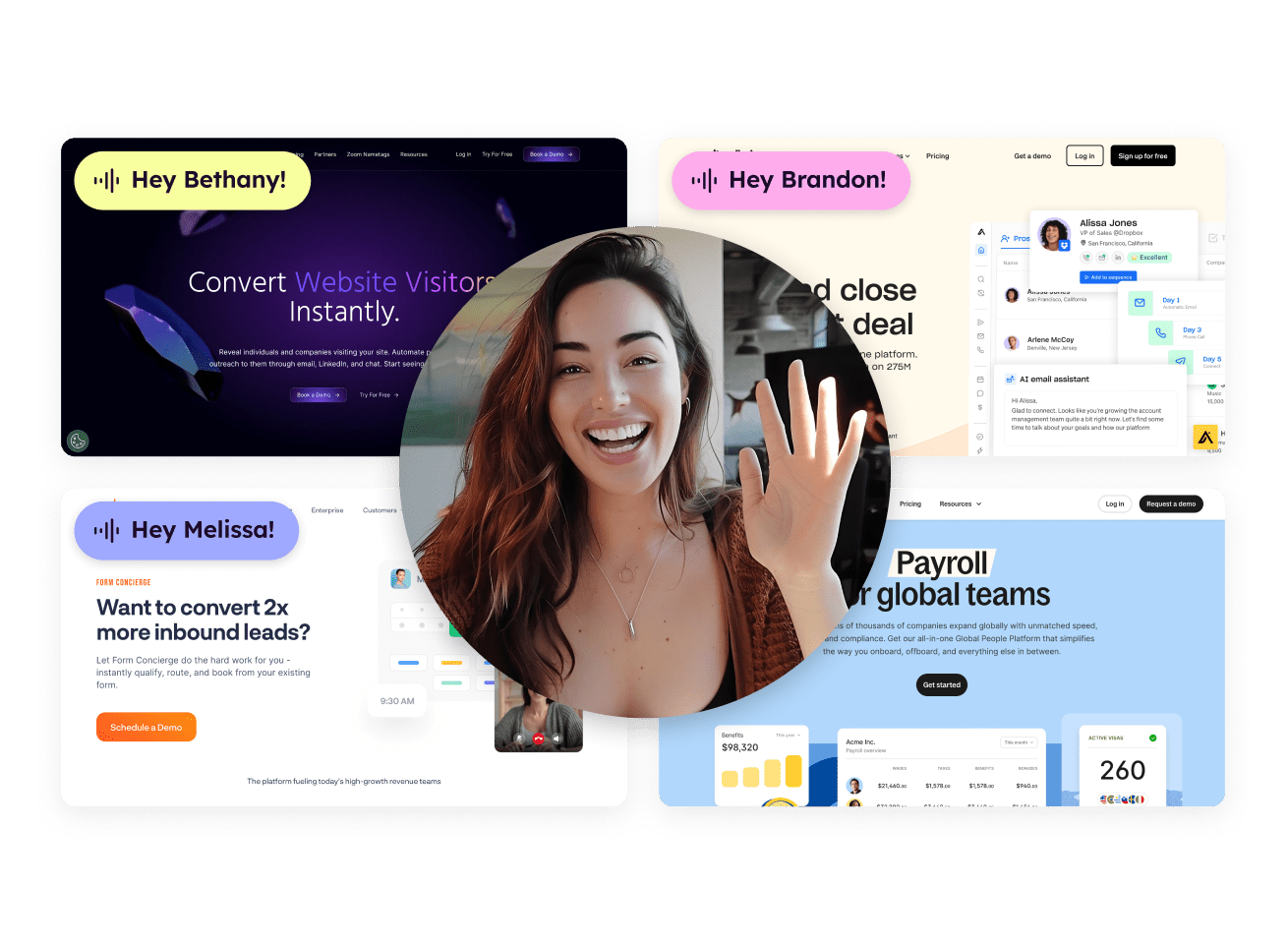
Sendspark is an AI-enhanced video creation platform for sales teams.
Best for: Small sales teams needing simple personalized video creation
Key features:
- Video recording
- AI Avatars
- Personalization features
- Basic CRM integrations
Key use cases:
- Sales: Prospecting and deal progression
- Marketing: Demand generation and account-based marketing
- Customer success: Onboarding and customer support
Unique differentiators:
- Features designed specifically for sales use cases across a wide range of industries
- Customizable video backgrounds including ability to upload prospect or company logo
Pricing: Solo: $49/month billed monthly, including one seat and 100 Dynamic Video Minutes.
Pros (based on real user reviews):
- Works smoothly with 50+ tools like Salesforce and HubSpot, making it easy to add video to your current workflows.
- Automate repetitive tasks and use video libraries to save time while still keeping communication personal.
Cons (based on real user reviews):
- Even with optimization, inbox placement can still be affected by external factors during large-scale outreach.
- Basic recording is easy, but mastering AI personalization and automation takes time and may require onboarding.
Video recording and screen capture tools
This category of video tools is best for internal collaboration, team training, and asynchronous communication rather than revenue-focused outreach.
Loom

Loom is an easy-to-use screen recording tool owned by Atlassian.
Best for: Internal team communication and async collaboration
Key features:
- Quick screen recording
- Basic video messaging
- Team libraries
- Integrations with variety of tools beyond sales and marketing
Key use cases:
- Quick asynchronous internal communication
- Meeting follow-up
- Team training
Unique differentiators:
- Optimized for internal use and team collaboration
- Owned by Atlassian, meaning features are more geared towards product and engineering teams
Pricing: Free plan available; see current Business pricing.
Pros (based on real user reviews):
- Easy to get started creating videos with their Chrome Extension.
- Great for asynchronous internal communication.
- Trim/stitch editing capabilities, with more advanced editing available on higher plans.
Cons (based on real user reviews):
- Free-tier users face limits like capped video lengths, restricted recording quality, and limited video counts. Many key features (brand controls, analytics, team tools) require paid plans.
- Because Loom uploads videos while recording, a slow or unstable internet connection can cause lag, lower resolution, or delayed processing, impacting overall video clarity.
Hippo Video

Hippo Video is an AI video platform that generates and automates video.
Best for: Teams that want AI-generated and personalized video at scale, without recording each one manually.
Key features:
- Text-to-video and prompt-to-video generation
- AI avatars and digital twins
- Automated video campaigns at scale
- Video SDK for embedding video creation and playback into other products
Key use cases:
- Sales: One-to-one or one-to-many video messaging
- Marketing: Video campaigns and testimonials
- Internal communication: Team onboarding, training, and company announcements
Unique differentiators:
- Broad agentic AI features covering video creation, campaign personalization, and AI-driven support
- A dedicated hospitality product (HippoRev) for hotel group sales, separate from the core platform, for teams that specifically need that
Pricing: Free tier with paid plans starting at $20/user/month
Pros (based on real user reviews):
- Intuitive user interface making it easy to get started with recording videos .
- Responsive customer support team.
Cons (based on real user reviews):
- Ability to organize videos is limited.
- Users cite playback issues and having to record videos a few times due to software issues.
Video hosting and marketing platforms
This category is best for marketing content libraries, brand videos, webinars, and long-form content rather than personalized sales outreach.
Vidyard Hosting and Hubs
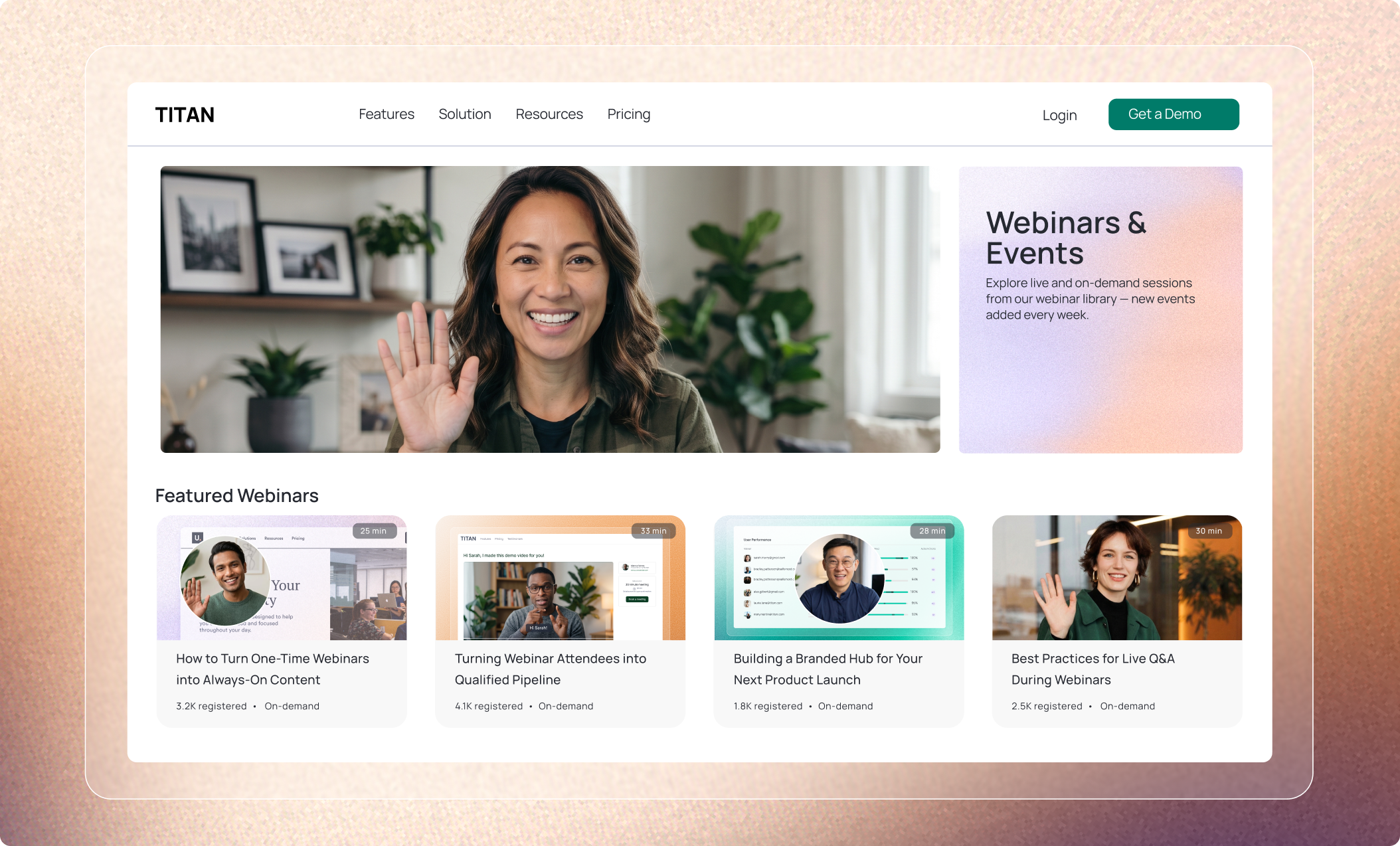
If you’re evaluating this category because you also need video hosting or a branded destination, Vidyard covers that too. See the full Vidyard profile above for Hosting, Hubs, and how they fit alongside video messaging.
Vimeo

Vimeo is a video hosting, sharing, and services provider.
Best for: Marketing teams needing professional video hosting and brand control
Key features:
- High-quality video hosting
- Live streaming
- Privacy controls
- Embedded players
Key use cases:
- Marketing: Host video content, livestream events, and built-in basic video creation and editing tools
Unique differentiators:
- Premium hosting with strong brand presentation
Pricing: Starter starts at $12/month billed annually ($20/month billed monthly). Standard and Advanced plans cost more, with Standard at $25/month billed annually and Advanced at $41/month billed annually, for teams that need more storage and features.
Pros (based on real user reviews):
- Premium video quality with ad-free and password protected viewing.
- Great video management capabilities including streaming and storing video content.
Cons (based on real user reviews):
- Can be expensive for smaller teams.
- UX/UI can have an initial learning curve.
Wistia

Wistia is a video management and hosting platform designed for marketing teams.
Best for: Marketing teams focused on video SEO and lead generation
Key features:
- Video hosting and collections
- SEO optimization
- Lead capture
- Marketing integrations
- Webinars
- Video analytics
Key use cases:
- Marketing: Create video libraries with branded content, host live interactive webinars, and easily embed videos on company website
Unique differentiators:
- Strong marketing analytics and lead generation features
- Large integration library
Pricing: Free plan available. Business starts at $79/month billed annually and includes three users; Business + Signals starts at $329/month billed annually.
Pros (based on real user reviews):
- Easy-to-use interface.
- Seamless integrations with dozens of tools.
Cons (based on real user reviews):
- Can be expensive for smaller teams.
- Limited video editing capabilities.
AI avatar and synthetic video generators
Some teams also want AI-generated video at scale, separate from personalized messaging or hosted content. Consider a dedicated synthetic-video tool like HeyGen or Synthesia when avatar generation is the sole job. If you also need messaging, hosting, or CRM-synced engagement data, a platform where AI Avatars is a feature will likely serve you better.
Building a video messaging strategy for your GTM team
Knowing what tool to implement is one thing but strategically implementing them for high-impact results is the most important factor in your success with video. Here are some ways to think about adoption, workflows, and measurement.
Start with high-impact use cases
Pick a starting point that matches where your team already sees the biggest gap. A few examples: Marketing teams often start by publishing an on-demand webinar collection and tracking CTA conversion. Customer success teams start by organizing onboarding tutorials and tracking completion in their existing system. Sales teams start by testing recorded demo follow-ups and measuring reply rates.
Whichever you pick, start with one or two use cases, prove the value, and expand from there.
Once you start seeing results, you can turn these quick wins into teamwide adoption to build momentum while proving ROI before expanding to additional workflows.
Enable teams with templates and best practices
Could you generate a high-performing video script right now? Maybe, but why do things the hard way?
Make sure you’re empowering your teams with pre-built templates, scripts, and examples rather than expecting them to create from scratch. That might be a webinar follow-up template your marketing team reuses after every session, or an onboarding template your customer success team sends to every new customer, alongside the sales scripts your reps already rely on. If you’re looking for some inspiration, check out our case studies to see how Vidyard customers are finding success.
Measure engagement and business outcomes
While it’s awesome to see who engaged with your video, that alone won’t prove ROI to your CFO.
That’s why we recommend tying engagement back to whichever pilot you started with. Marketing teams should watch video engagement alongside CTA conversion. Customer success teams should watch it alongside onboarding completion. Sales teams should watch it alongside replies, meetings booked, and deal velocity. Comparing these to your previous efforts, and sharing the results, is one of the best ways to encourage wider adoption across sales, marketing, and customer success.
Your video platform gives you the engagement side, like views, watch time, and clicks. The business outcome side, like conversion, onboarding completion, or pipeline influenced, comes from your CRM, marketing automation, or customer success system. Make sure that system can actually tie a deal, a completed onboarding, or a conversion back to the video that influenced it.
Integrate video into existing sales and marketing workflows
Video succeeds when it’s embedded into the tools each team already uses, rather than treated as a separate workflow. For sales, that’s email, your CRM, and sales engagement platforms. For marketing, that’s your CMS for publishing and embedding video, and your marketing automation platform for campaign and follow-up workflows. For customer success, that’s your onboarding or customer success systems, so video ties into the process customers already move through.
The best video communication platforms integrate deeply with these existing tools, so creating and sending video feels natural no matter which team is using it.
What makes Vidyard unique and widely adopted
Our mission is to help every team member perform like the best through the power of video, and today, over 100,000 teams around the world use Vidyard to break through the noise, engage more customers, and close deals faster.
We’ve built our platform to bridge video recording, hosting, AI automation, and revenue workflows in a single platform. While we started with enabling sales teams, our features have since expanded to help marketing and support teams connect further and faster through personalized video messages.
Video Messages: Humanize every touchpoint
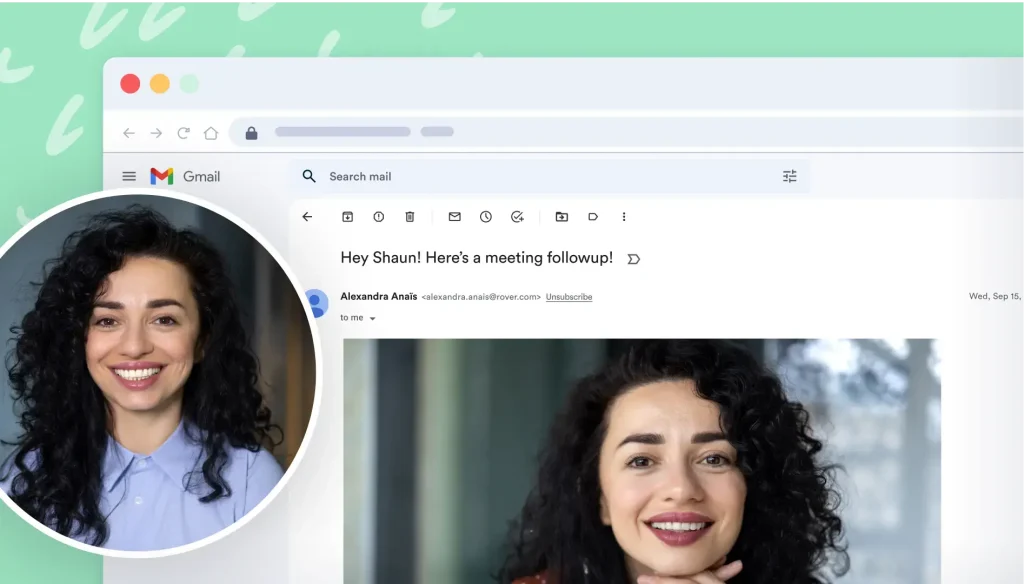
For those moments where human connection really matters, we make it easy for teams to record personalized videos directly from Gmail, LinkedIn, Salesloft, and HubSpot and embed them in emails or social messages. A sales rep can send a personal follow-up after a demo. A support rep can walk a customer through a fix instead of writing out steps in a ticket reply, showing exactly what to click instead of describing it.
Our Video in Motion Benchmark Report found that teams using video see 38% higher win rates, 300% higher click-through rates, and 50% more responses when their outreach cadence includes at least one video.
Hosting: Manage and embed business video
Every video your team makes needs a home. Vidyard Hosting gives you one library for demos, brand videos, customer stories, and training content, all organized in one place. Embed any video on your website, product pages, or help center, then control the viewing experience with custom thumbnails, chapters, and in-video CTAs. Track who’s watching, for how long, and what they click, so you always know when to follow up.
Hubs: Build branded video destinations
Once your videos are hosted, Vidyard Hubs brings the right ones together into one branded destination. Curate a set around a webinar series, a product launch, or a customer onboarding program. Visitors can search and find what they need, guided by clear calls to action toward the next step. Add your own branding and domain, and set access controls when a Hub is for customers or partners only.
A sales rep sends a personal video follow-up after a demo. It links the buyer to a hosted video, or a Hub with related demos and customer stories, so they can explore more before the next call. Engagement data on what they watched tells the rep what to bring up.
OctoClean uses a private Hub to keep employee training videos up to date across its franchise locations. QR codes posted at job sites link to the Hub, so when a video needs an update, the team swaps it behind the same link and the QR code never breaks. Video engagement is visible in HubSpot, so the team can see what’s actually getting watched.
Video Agent: Automate video follow-up workflows
Video Agent is a tool that automates video follow-up using videos your team has already recorded. Here’s how it works:
- Trigger: An action starts the workflow, such as an inbound form fill, webinar registration, or another configured event.
- Video: The workflow uses an approved recorded video.
- Delivery: The video is sent through the team’s existing tools and channels.
- Next action: Engagement data helps the team decide what happens next.
The most common Marketing use case is webinar follow-up: send every registrant a recorded thank-you and point them to related content, without a rep touching a single send button. It also works well after a content download, or as an instant response when a lead fills out a form. Sales teams use the same workflow for demo follow-up.
A webinar registrant gets a recorded thank-you video automatically after the session. Their engagement with it flows back into your CRM.
Connect video engagement to your CRM and marketing tools
Vidyard’s integration with HubSpot and Salesforce syncs video engagement data straight to the contact and deal record. Your team can see who watched a video, how much of it they watched, and what they clicked, right where they already work. That data can trigger a workflow, like alerting a rep when a high-intent prospect rewatches a demo.
This gives sales leaders visibility into video performance without manual tracking, and makes it easier to see which scripts and videos are actually driving engagement.
Choosing the right video platform for your team
We hope by now you can confidently start testing out the video platform that feels right for your business needs.
But here’s a quick guide to help:
- If you need personal video messaging → Vidyard or Sendspark
- If you need internal collaboration and async communication → Loom
- If you need video hosting and marketing content libraries → Vidyard or Wistia
Many teams end up needing more than one of these. If that’s you, Vidyard covers personal messaging, hosting, and branded video destinations in one platform, so you’re not stitching tools together.
Video is no longer a nice to have, but an important tool in your sales, marketing, and customer success toolbelt. If you really want to break through noise, engage multiple stakeholders, and maintain relationships at scale, video is how you can do that.
If you want to see how Vidyard fits into your revenue workflows across Video Messages, Hosting, and Hubs, schedule a demo with our team today.
FAQs
Which integrations are most important for B2B video messaging platforms?
The most important thing is knowing what an integration actually does, not just whether it exists. Look for a platform where viewer engagement data syncs to your CRM or marketing automation tool, where that data can trigger a workflow, like alerting a rep when a high-intent prospect rewatches a video, and where a video can get delivered through a tool your team already uses, like email or a sales engagement platform. You’ll also want to check what engagement details show up in the contact record, since that’s what your team will actually act on day to day.
How do I measure ROI from video messaging?
Tie video engagement to the business outcome your team cares about. For marketing, that’s often CTA conversion. For customer success, it’s onboarding completion. For sales, it’s replies and meetings booked. Your video platform gives you the engagement data, like views and watch time; your CRM, marketing automation, or customer success system gives you the outcome it connects to. Track both together, and factor in total cost, so you can see the actual return, not just activity.
How does video messaging fit into an account-based marketing strategy?
Pair personal outreach with a curated set of demos, explainers, and customer proof points relevant to that account. Some teams build this into a dedicated Hub for their highest-value accounts. That curation is done by your team, not generated automatically. It’s most effective when the content is specific to what that account actually cares about.
How are video messaging, video hosting, and video hubs different?
Video messaging is a recorded message for a person or small group, like a demo recap or a customer follow-up. Video hosting manages your video library and lets you publish or embed videos where people already look for content, like a product page. A video hub brings selected hosted videos together into a branded destination, like a webinar collection or a customer onboarding center. Most teams start with messaging, and add hosting or a hub as their video use expands.
When should I embed a video, and when should I use a Hub?
Embed a video when it belongs to one specific page or piece of content, like a demo on a product page. Use a Hub when you want to bring several related videos together into one experience, like a set of onboarding tutorials or a webinar series. A single campaign can use both: an embedded video on the landing page, and a Hub for everything related to that campaign.
Can Vidyard support customer onboarding and education?
Yes, teams use reusable tutorials, curated collections of related content, and personal video follow-ups to support onboarding and ongoing education. OctoClean, for example, uses a Hub to keep training content current across its franchise locations.
How can video messages support email outreach?
A video message adds personal context an email alone can’t. A linked video thumbnail stands out in an inbox, and a clear CTA in the video gives the viewer an obvious next step. It works best alongside a short, relevant written message, not as a replacement for one.