B2B video messaging platforms: 2026 buyer’s guide
December 12, 2025·6 mins

All the information you need to evaluate B2B video messaging platforms including key features, platform comparisons, and implementation strategy.

Do you remember sending your first cold email?
That shift, from cold calling to cold emailing, marked a pivotal moment in time.
Video communication is what’s driving deals — and leading sales, marketing, and customer success teams are already using it to stand out in the inbox, within their ABM campaigns, and to build trust with their customers.
Modern GTM teams are beyond the “should we use video?” question and moving to the “what are the best B2Bvideo messaging platforms for my business?”. Choosing between video recording tools, hosting, AI avatar generators, and full suite platforms when each category makes different promises about scalability, personalization, and revenue impact can be a bit confusing.
But great news for you — we’re here to help readers understand which type of platform solves their specific GTM challenges and how to evaluate features, integrations, and pricing based on your team’s workflow and revenue goals.
Video messaging as a GTM communication channel
Personalized video communication is not just another sales tool. It’s a form of communication that sits alongside phone calls, email, online meetings, and social media in modern revenue operations.
Why video messaging is a must-have
Inboxes are flooded with generic, badly personalized emails. We know you’d never do such a thing…but it’s a reality that your prospects are facing daily. Low response rates along with preference for asynchronous communication and larger buying committees have given rise to the popularity of personalized video throughout the buying process.
Similar to how email marketing evolved from experimental to essential infrastructure, video is going through the same transformation. Thanks to the rapid evolution of the technology infrastructure powering video platforms, like AI automation, CRM integrations, and in-depth video analytics, it is easier than ever for teams to get started and scale their video efforts.
What is the difference between video messaging tools and video tools?
Not all video tools are created equal — and that’s why this guide created to help your team with the decision making.
The main types of video tools include:
- Video recording tools: Easily record your screen or selfie-style video content, mostly for internal communication.
- Video hosting platforms: Organize and host your video content with no ads and in organized libraries for easy access.
- AI Avatar generators: Create video content using stock AI Avatars or of your team members for training, sales, marketing, and customer success.
- Video messaging platforms: Full-suite video platforms featuring all of the above built specifically for revenue teams.
While you may have heard of some tools like Loom for video recording or Vimeo for video hosting, teams that are serious about video don’t need more tools solving disparate problems — they need a platform that integrates with their existing tools, surfaces buyer intent, shares real-time analytics, and automates video communication with ease.
How to choose the right B2B video messaging platform
We’re going to encourage you to move from a feature checklist to an outcome-based evaluation when it comes to picking the best tools for your team. To do this, start with the revenue impact you’re looking for and the ways in which your team can scale video messaging, then work backward to determine the necessary features and integrations.
Define your revenue workflow needs first
What primary challenges are you looking to improve?
- Top-of-funnel engagement: Using video to increase prospecting via ABM campaigns or cold outreach.
- Mid-funnel deal progression: Using video to reduce no-shows, meeting follow-ups, and ensure the entire buying committee is on the same page.
- Post-sale retention: Using video for onboarding new customers, landing and expanding, and renewals.
As you read on, think about which areas in your existing processes can be most accelerated or scaled through the power of video.
Prioritize AI automation and personalization at scale
We know that video works — and so do our over 100,000 customers. They’ve achieved amazing results including 2X new customer meetings in 60 days and helping individual reps achieve 120% of their sales targets. Our own team generated $100,000 more in revenue just by automating videos. “All I do is add someone to the cadence, write a personalized email intro, and the Video Agent does the rest,” Nely, Account Executive at Vidyard.
But manual video recording often doesn’t scale beyond your top performers.
That’s why the top B2B video messaging platforms are doubling down on AI-powered features including AI Avatars, AI script generators, and AI Agents that automate the creation and sending of personalized video content.
Automation and AI-enhanced features create passive value for teams, freeing them to focus on what humans do best: building real relationships. Here at Vidyard, we’ve worked with Zapier to build out deeper integrations into the tools teams are already using. Ask any provider you’re evaluating about their artificial intelligence roadmap to help you understand future features that will help you continue scaling.
Evaluate CRM and sales engagement integration depth
If data isn’t actionable, what’s the point?
Video engagement data is worthless if it doesn’t sync with the existing sales tools you’re using like Salesforce, HubSpot, Salesloft, Gong, or Outreach. Surface-level integrations miss the point, and teams need bidirectional data flow that can trigger workflows and help prioritize high-intent leads.
So does a tool simply “integrate with Hubspot” or is it “native to Hubspot’s workflow”? One tool might let you record videos within the platform but many features are only available via their separate platform.
With Vidyard Video Agent, teams can automatically trigger the generation and delivery of personalized AI videos across 6,000+ apps — keeping workflows moving with zero manual work or code.
Assess real-time analytics and buyer intent signals
We’ve all been overloaded with data that leaves our head spinning with how we actually improve our processes. Actionable video analytics go beyond viewership by providing actionable insights like who watched, for how long, which parts they rewatched, and what actions they took (such as clicking CTAs or sharing with colleagues).
This data enables teams to understand how serious and engaged buyers are, allowing them to take the right actions to move prospects down the funnel.
Consider team adoption and ease of use
We’ve all bought a tool that we ended up rarely, if ever, using. The best platforms make video creation and sharing as frictionless as sending an email, utilizing browser extensions, integrations, and video templates that reduce the time to get comfortable generating and sending video.
These features help your team easily integrate video into their existing processes and get them excited about the potential to unlock revenue opportunities.
The best B2B video messaging platforms in 2026
Below, you’ll find a list of the top B2B video messaging platforms, organized by primary use cases and team maturity.
AI-powered B2B video engagement platforms
These platforms are best fit for revenue teams that need to scale personalized video across prospecting, deal progression, and customer success workflows with deep integrations.
Vidyard

Vidyard is an AI-powered video selling platform for modern revenue teams.
Best for: Sales and marketing teams needing AI-powered personalization at scale with native Zapier, HubSpot, and Salesforce integrations
Key features:
- AI Avatars for scalable video creation
- Video Messages for personalized outreach
- Video Agent for automated follow-ups
- Real-time analytics with CRM sync
- Customizable branding and video libraries
- Customizable video hosting
Key use cases:
- Sales: Prospecting, inbound engagement, and deal acceleration
- Marketing: ABM landing pages, event invites and follow-up, and email marketing engagement
- Customer success: Onboarding, answering support questions, and renewal preparation
Unique differentiators:
- Only platform that combines AI avatar generation with manual recording and hosting in a single workflow
- Native Zapier, HubSpot, and Salesforce integrations
Pricing:
- Free: personalized video recording along with 15 free AI Avatar videos per month
- Starter: Unlimited video recordings & AI Avatars, full analytics, branded sharing pages with CTAs
- Teams: CRM/MAP integrations, advanced team performance analytics, video captions, and fully customizable CTAs
- Enterprise: Unlimited integrations, SSO user management and secure playback, and custom security options
Pros
- Simple video creation with editing features to trim mistakes, add animated video thumbnails, and create video titles to capture and keep attention.
- Easily share videos through LinkedIn, Gmail, and Outlookand can integrate into sales workflows, such as Salesforce, Gong, Salesloft, HubSpot, and more.
- Chrome extension that lets you create free AI videos without having to open the web app.
Cons
- Limited to 3 custom avatars at lower tiers
- Specifically built for revenue teams (sales, marketing, customer success) who want to integrate video into their tools and workflows.
Sendspark
Sendspark is an AI-enhanced video creation platform for sales teams.
Best for: Small sales teams needing simple personalized video creation
Key features:
- Video recording
- AI Avatars
- Personalization features
- Basic CRM integrations
Key use cases:
- Sales: Prospecting and deal progression
- Marketing: Demand generation and account-based marketing
- Customer success: Onboarding and customer support
Unique differentiators:
- Features designed specifically for sales use cases across a wide range of industries
- Customizable video backgrounds including ability to upload prospect or company logo
Pricing: Starting at $49/user/month
Pros (based on real user reviews):
- Works smoothly with 50+ tools like Salesforce and HubSpot, making it easy to add video to your current workflows.
- Automate repetitive tasks and use video libraries to save 20+ hours a week while still keeping communication personal.
Cons (based on real user reviews):
- Full mobile recording isn’t available yet, which may hinder users who need to record on the go.
- Even with optimization, inbox placement can still be affected by external factors during large-scale outreach.
- Basic recording is easy, but mastering AI personalization and automation takes time and may require onboarding.
Video recording and screen capture tools
This category of video tools is best for internal collaboration, team training, and asynchronous communication rather than revenue-focused outreach.
Loom

Loom is an easy-to-use screen recording tool owned by Atlassian.
Best for: Internal team communication and async collaboration
Key features:
- Quick screen recording
- Basic video messaging
- Team libraries
- Integrations with variety of tools beyond sales and marketing
Key use cases:
- Quick asynchronous internal communication
- Meeting follow-up
- Team training
Unique differentiators:
- Optimized for internal use and team collaboration
- Owned by Atlassian, meaning features are more geared towards product and engineering teams
Pricing: Free Chrome Extension with paid tier starting at $15/user/month
Pros (based on real user reviews):
- Easy to get started creating videos with their Chrome Extension
- Great for asynchronous internal communication
Cons (based on real user reviews):
- Loom offers only basic trimming and simple edits
- Free-tier users face limits like capped video lengths, restricted recording quality, and limited video counts. Many key features (brand controls, analytics, team tools) require paid plans
- Because Loom uploads videos while recording, a slow or unstable internet connection can cause lag, lower resolution, or delayed processing — impacting overall video clarity.
BombBomb
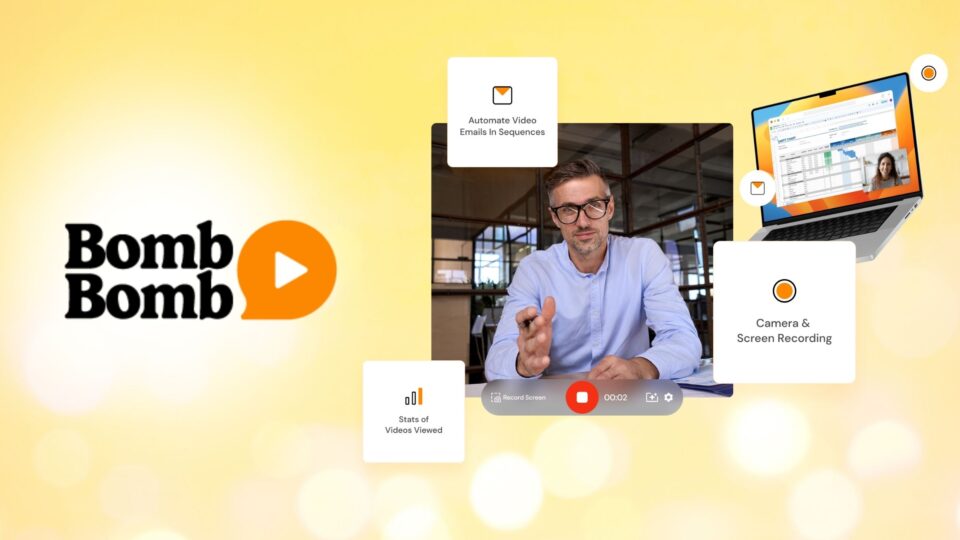
BombBomb is a basic video engagement platform for sales and marketing teams.
Best for: Simple email-embedded video for real estate and service industries
Key features:
- Email video embedding
- Gmail and Outlook integrations
Key use cases:
- Engage prospects with embedded videos
- Video creation for product launches or event invites
- Internal communication
Unique differentiators:
- Features designed for service-based industries
- Mobile app to record and send videos in the field
Pricing: Starting at $36/user/month
Pros (based on real user reviews):
- Desktop and mobile versions available
- Great customer support
- Schedule videos to send on certain days/times
Cons (based on real user reviews):
- Users can face email delivery issues due to firewalls
- Only simple video editing options available
Hippo Video

Hippo Video is a video tool designed specifically for service industries including hospitality, healthcare, and travel.
Best for: Sales teams within service industries
Key features:
- Text to video using stock AI Avatars
- Video SDK for complete video infrastructure
- Basic video editing and analytics
Key use cases:
- Sales: One-to-one or one-to-many video messaging and OOO responses
- Marketing: Campaigns and video testimonials
- Internal communication: Team onboarding, training, and company announcements
Unique differentiators:
- Free tier with low cost paid plans
Pricing: Free tier with paid plans starting at $20/user/month
Pros (based on real user reviews):
- Intuitive user interface making it easy to get started with recording videos
- Responsive customer support team
Cons (based on real user reviews):
- Ability to organize videos is limited
- Users cite playback issues and having to record videos a few times due to software issues
Video hosting and marketing platforms
This category is best for marketing content libraries, brand videos, webinars, and long-form content rather than personalized sales outreach.
Vimeo

Vimeo is a video hosting, sharing, and services provider.
Best for: Marketing teams needing professional video hosting and brand control
Key features:
- High-quality video hosting
- Live streaming
- Privacy controls
- Embedded players
Key use cases:
- Marketing: Host video content, livestream events, and built-in basic video creation and editing tools
Unique differentiators:
- Premium hosting with strong brand presentation
- Users can ask questions directly within the video and their AI tools will help find the answer.
Pricing: Starting at $12/user/month
Pros (based on real user reviews):
- Premium video quality with ad-free and password protected viewing
- Great video management capabilities including streaming and storing video content
Cons (based on real user reviews):
- Can be expensive for smaller teams
- UX/UI can have an initial learning curve
Wistia

Wistia is a video management and hosting platform designed for marketing teams.
Best for: Marketing teams focused on video SEO and lead generation
Key features:
- Video hosting
- SEO optimization
- Webinar hosting
- Lead capture
Key use cases:
- Marketing: Create video libraries with branded content, host live interactive webinars, and easily embed videos on company website
Unique differentiators:
- Strong marketing analytics and lead generation features
- Large integration library
Pricing: Free tier available with paid plans starting at $19/user/month
Pros (based on real user reviews):
- Easy-to-use interface
- Seamless integrations with dozens of tools
Cons (based on real user reviews):
- Can be expensive for smaller teams
- Limited video editing capabilities
AI avatar and synthetic video generators
These AI Avatar generation tools are best for creating templated video content at scale using stock AI Avatars or digital twin versions of your team members.
Check out our complete list of top AI Avatar generators for more options and more in-depth analysis.
HeyGen

HeyGen is a generative AI company that creates photo-realistic avatars for a variety of use cases.
Best for: Marketing teams creating templated video content at scale
Key features:
- AI avatar creation
- Script-to-video generation
- Multi-language support
Key use cases:
- Marketing: AI avatars for video ads, social media, e-learning, and product explainers
Unique differentiators:
- Interactive avatars that can respond in real time
- Most life-like AI avatars but can feel uncanny valley or deteriorate trust if not used properly
Pricing: Free tier available with paid plans starting at $29/user/month
Pros (based on real user reviews):
- Most realistic AI avatars
- Easy to get started with
Cons (based on real user reviews):
- Expensive for smaller teams
Synthesia
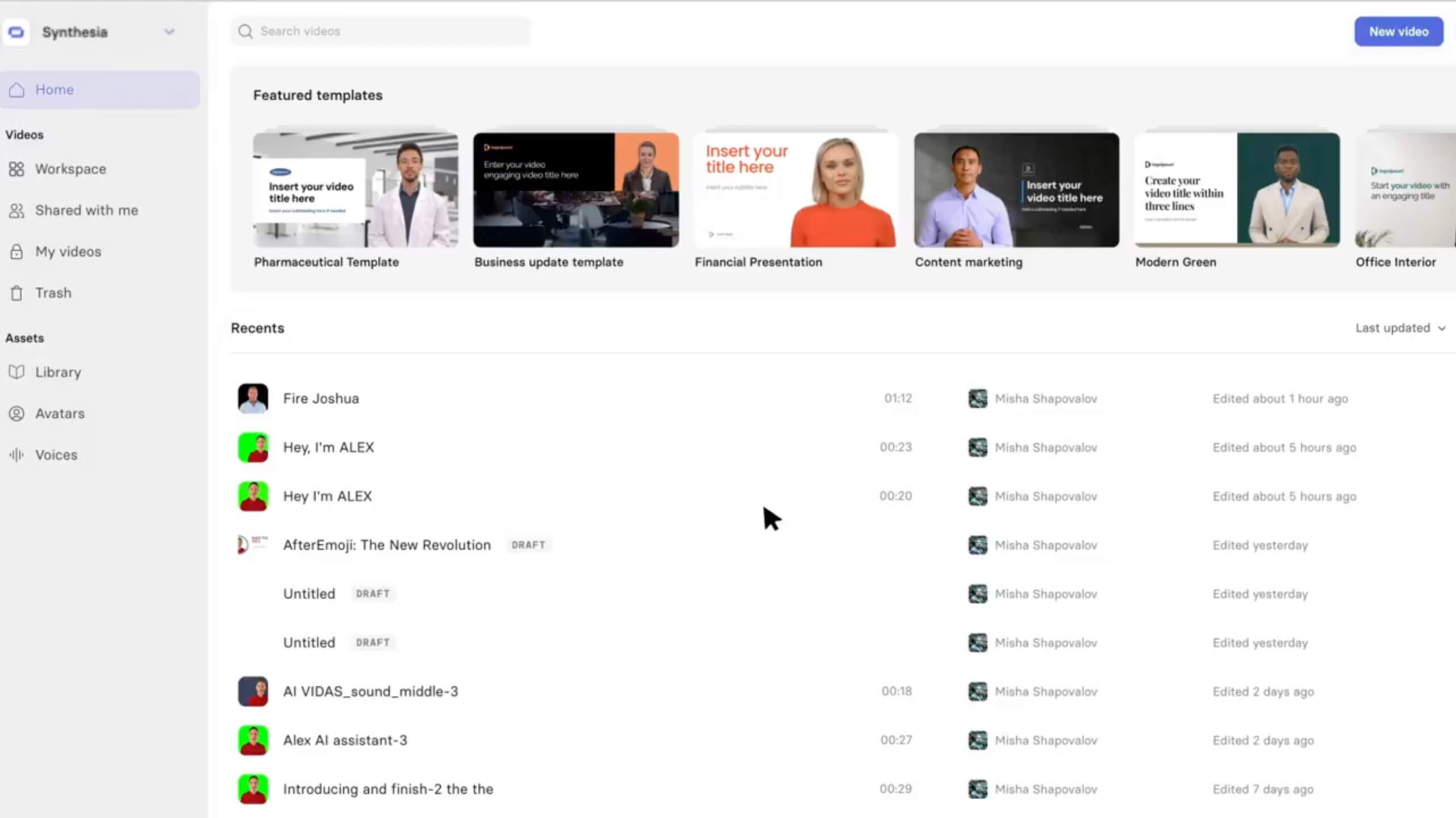
Synthesia is a synthetic media generation company featuring voiceovers in over 140 languages.
Best for: Enterprise training and educational content at scale
Key features:
- AI avatars
- Text-to-video
- Branded templates
- Multi-language support
Key use cases:
- Learning and development: Onboard, training, and internal communications
- Sales enablement: Sales onboarding, training, and sales rep development
Unique differentiators:
- Enterprise-grade AI video creation, optimized for training and internal communications
Pricing: Free tier available with paid plans starting at $18/user/month
Pros (based on real user reviews):
- High quality templates
- Easy-to-use user interface
Cons (based on real user reviews):
- Limited number of templates available
- Limited customization
Building a video messaging strategy for your GTM team
Knowing what tool to implement is one thing but strategically implementing them for high-impact results is the most important factor in your success with video. Here are some ways to think about adoption, workflows, and measurement.
Start with high-impact use cases
While video has endless potential, it’s best to think about one or two use cases to get started with. We see most teams starting with cold outreach and post-demo follow-ups, as these are high-impact areas where video can really build that personal connection.
Once you start seeing results, you can turn these quick wins into teamwide adoption to build momentum while proving ROI before expanding to additional workflows.
Enable teams with templates and best practices
Could you generate a high-performing video script right now? Maybe — but why do things the hard way?
Make sure that you’re empowering your teams with pre-built templates, scripts, and examples rather than expecting them to create from scratch. If you’re looking for some inspiration, check out our video templates and case studies to see how Vidyard customers are finding success.
Measure revenue impact, not just video metrics
While it’s awesome to see who engaged with your video, these won’t prove ROI to your CFO.
That’s why we recommend focusing on impact metrics like response rates, meetings booked, deal velocity, and pipeline generated from the start. Not only can you compare these to your previous efforts, you can use them to encourage wider adoption across sales, marketing, and customer success.
Your video engagement data should tie back to revenue attribution. So make sure your CRM is easily able to track what deals were influenced by your video efforts!
Integrate video into existing sales and marketing workflows
Video messaging succeeds when it’s embedded into the tools reps already use (email, CRM, sales engagement platforms) rather than treated as a separate workflow.
The best video communication platforms for revenue teams deeply integrate into these existing tools, so creating and sending video feels natural.
What makes Vidyard unique and widely adopted
Our mission is to help every team member perform like the best through the power of video — and today, over 100,000 teams around the world use Vidyard to break through the noise, engage more customers, and close deals faster.
We’ve built our platform to bridge video recording, hosting, AI automation, and revenue workflows in a single platform. While we started with enabling sales teams, our features have since expanded to help marketing and support teams connect further and faster through personalized video messages.
Here’s how.
AI Avatars: Scale personalization without manual recording
With AI Avatars, Vidyard uniquely solves the core challenge or scaling personalized video outreach without sacrificing quality or overwhelming reps.
From bulk personalization features that enable sales reps to create dozens of personalized videos in minutes to making it easier to follow up after meetings by using our AI script generator to transpose meeting recordings, we believe AI Avatars empower reps to maintain a personal touch at scale, not replace human connection.
Video Messages: Humanize every touchpoint
For those moments where human connection really matters, we make it easy for teams to record personalized videos directly from Gmail, LinkedIn, Salesloft, and HubSpot and embed them in emails or social messages.
The proof is in the pudding: in our 2025 Future of Revenue Report, more than a third of teams using video report higher win rates, 28% say they have increased pipeline volume, and 27% cite shorter deal cycles or faster progression through the sales funnel.
Video Agent: Automate follow-ups and keep deals moving
In 2025, we launched Video Agent, a tool that automates video-based follow-ups, ensuring prospects stay engaged without manual effort from reps. With Video Agent, if someone requests a demo, you can automatically create and send a personalized AI Avatar video.
Host an event? Send everyone a personalized follow-up with a customizable CTA!
With Video Agent, now every prospect gets the same level of attention with no extra effort.
Native HubSpot and Salesforce integration
Vidyard’s deep, bidirectional integration with HubSpot and Salesforce ensures video engagement data automatically syncs with CRM records, triggers workflows, and updates deal stages.
This eliminates manual data entry and ensures sales leaders have visibility into video performance. We make it easier for teams to adopt top-performing scripts and for sales leaders to provide hyper-relevant coaching.
Choosing the right video platform for your team
We hope by now you can confidently start testing out the video platform that feels right for your business needs.
But here’s a quick guide to help:
- If you need internal collaboration and async communication → Loom
- If you need video hosting and marketing content libraries → Vimeo or Wistia
- If you need a templated AI video at scale without sales workflows → HeyGen or Synthesia
- If you need AI-powered, personalized video engagement with deep CRM integration for revenue teams → Vidyard
Video is no longer a nice to have, but an important tool in your sales, marketing, and customer success toolbelt. If you really want to break through noise, engage multiple stakeholders, and maintain relationships at scale, video is your secret weapon.
If you want to see how Vidyard fits into your revenue workflows, schedule a demo with our team today.
You can also test drive our free plan that includes 15 free AI Avatar videos every month.
FAQs
Which integrations are most important for B2B video messaging platforms?
That depends on your tool stack! But it’s not just about if they integrate, but how deeply they integrate. Look for native integrations and advanced integrations with Zapier.
How do I measure ROI from video messaging?
You can measure ROI from video messaging by comparing the business results it drives, such as conversions, deals won, or faster response times, to the total cost of creating and sending the videos.
Monitor view rates, engagement, and response rates, then link those improvements to revenue or efficiency gains to calculate the return.
How does video messaging fit into an account-based marketing strategy?
Video messaging supports an ABM strategy by delivering highly personalized, attention-grabbing outreach to key accounts, helping your team stand out in crowded inboxes. It allows you to tailor messages to each stakeholder’s needs, boosting engagement and accelerating relationship building. By adding a human touch at critical stages, video helps move high-value accounts through the funnel more effectively.
How do I choose between HubSpot-native video tools and third-party platforms?
You can choose between HubSpot-native video tools and third-party platforms by considering the level of functionality you need.
Evaluate your team’s workflow, video volume, and reporting requirements to determine which option aligns best. If you need deeper insights or richer customization, a ubSpot-native video tool may deliver greater value.
What’s the difference between video hosting platforms and video messaging platforms?
Video hosting platforms focus on storing, managing, and sharing video content at scale, typically for marketing, training, or website use.
Video messaging platforms, on the other hand, are built for fast, personalized, one-to-one or one-to-few communication.
How does video messaging improve response rates compared to email?
Video messaging improves response rates by adding a human, personalized touch that stands out far more than traditional text-based emails.
Seeing a real person builds trust and curiosity, making recipients more likely to watch and reply. The format also conveys tone and intent clearly, reducing friction and encouraging faster engagement.