Prospecting and Intros
Stand out and improve response rates.
 Sales
SalesGenerate more pipeline and close more deals.
 Sales Support
Set your sales team up for success.
 Marketing
Host video content and convert viewers into leads.
 Converting and Closing
Connect with buyers and close more deals.
 Corporate Comms
Create and deliver an internal communications strategy.
See Vidyard in Action →
“Personalized Vidyard video messages drove an 8x improvement in click-through rates and a 4x improvement in reply rates.” Read More
 Blog
BlogThe secrets to virtual selling and video best practices.
 Video Agent Hub
Case studies and how-to videos for every revenue use case.
 Knowledge Base
How-to and help articles for all things Vidyard.
 Fast Forward
Expert advice on all things virtual selling.
 Templates
Free sales templates for every stage of the deal cycle.
 FAQ
FAQGet the answers to your top Vidyard questions.
 AI Resource Hub
Guides and ideas for using AI in your workflow.
 Case Studies
Learn how our customers win more with Vidyard.








Video Prospecting for Sales: How to Use Video to Book More Meetings
Jul 14, 2023
·
15 min read

Kendall Walters

Sales outreach is f@*#ing hard. Cold outreach, especially so. Video prospecting can help you break through the noise, get a response, and book that meeting.
You’ve found a good prospect. You’ve done your homework. Now, it’s time for outreach. But how to capture their attention? When Frank Weschler was a Sales Development Rep at Dynamic Signal, the answer was easy: video prospecting.
When he was assigned Buffalo Wild Wings as a target account, Frank knew he needed to do something special to break through the noise.
That’s why he drove to one of their restaurants and picked up an order of their hottest hot wings to go. Made from ghost peppers, the company’s Blazin’ wings measure in at 350,000 units on the Scoville scale.
Frank hit record on a one-to-one video message and started to eat. Once he was down a wing, he delivered his pitch—through laughter, tears, and near-choking.
Needless to say, he booked the meeting.
Of course, video isn’t all that made Frank’s pitch stand out. His creativity and bold approach were huge factors in his success. But video is the medium that lets all of that shine.
Think about this: If he’d simply written that he tried the wings in an email or sent a photo after eating one, it wouldn’t have had nearly the same impact as watching him struggle to share his pitch in real time.
A video message can help you break through the noise, get a response, and book that meeting.

Get more responses and book more meetings with video prospecting.
Table of Contents
Video Prospecting Definition: What is It?
So, what is video prospecting exactly? It’s sales outreach that incorporates video. It can be done via email, LinkedIn, and sales engagement platforms like SalesLoft, Outreach, or Gong.
Video prospecting uses video messages as a fundamental component of the outreach to capture prospective customers’ attention and connect with them.
The concept is simple. The results are powerful. And anyone can do it—all it takes is a free sales tool, a webcam, and a little bit of practice.
Get more responses and book more meetings with video prospecting.
Is Video Prospecting an Effective Sales Technique?
Over half of sales reps report that connecting or booking meetings is their top challenge in their process. Luckily, video messaging is an excellent tool to add to your sales toolkit and help make your prospecting efforts easier, and to help book more meetings.
Frank isn’t the only one seeing success with video prospecting. These stats prove just how far-ranging and effective video outreach (and video for sales, in general) are.
- Improve Open Rates—sales teams that use video get a 16% bump in open rates (SalesLoft)
- Get More Replies—sales teams that use video see a 26% increase in replies (SalesLoft)
- Close More Deals—closed deals involve using webcams 41% more often than lost deals (Gong)
But that’s not all.
Video makes sending outreach emails faster and more effective. How? Unsurprisingly, sales reps spend 21% of their day writing emails.
Whether you’re recording a quick video rather than writing out a long message or adding a pre-recorded video to boost an email, video messages are a big time saver.
Personal video lets us showcase our personality and create important human connections. Unlike a phone call or an email, a personal video is memorable and puts a face to a name. So even if you end up on a phone call with a prospect, the call is much better.

Roger Bernardino
1Huddle VP of Business DevelopmentVideo doesn’t just help with cold emails or LinkedIn messages. It’s also a key tactic when it comes to follow-up.
Every sales rep knows how much timing matters. In fact, reps who reach leads within an hour are 7x more likely to have meaningful conversations with decision-makers. Video makes that easier too. How?
A video sales tool (like Vidyard) actually notifies reps when prospects have watched their videos—in real time. That means you can follow up exactly when your prospect is most engaged.
Yay, you booked the meeting! Now keep deals moving and cut no-show rates with follow-up videos.
Convinced? Read on to learn more about when and how to use video prospecting in your outbound sales process.
When Are the Best Times to Use Video Prospecting?
The simple answer to when the best time for you to use video for prospecting is wherever and whenever you feel you need a boost to better connect with your prospects.
The slightly more detailed answer is: Start with a part of your process that feels like a natural fit for video and test, test, test to see what works.
Figuring out where to use video prospecting comes down to thinking about the parts of your process that would benefit most from face-to-face interaction.
In many cases, actual in-person meetings simply aren’t possible. Video is the perfect digital substitute for face time—it builds similarly strong connections but at a fraction of the cost, time, and effort.
Where Video Prospecting is Most Effective
Sending Cold Outreach
If you’re a business or sales development rep or just starting with video prospecting, recording and sharing a webcam or selfie-style video may be the perfect opportunity to try something different from your traditional cold text-based emails.
Reconnecting with a Prospect
Sending a video message is an effective tactic to revisit a conversation with a prospect that’s gone cold. Perhaps your previous interaction just wasn’t the right time. Put your face in front of them and remind them why your solution now could be the perfect fit.
Leveraging Recent News to Connect with an Account
Did your prospect account just secure a new round of funding or other exciting news? Take it as an opportunity to reach out and congratulate them with a video message (plus have a better chance of increasing your response rates). This personalized video tactic will make you stand out, and you can articulate why your solution could really help them in this transitional time.
Prospecting from One-to-Many
A one-to-one personalized video is the most effective way to connect with your prospect, but not every video needs to be personalized. You can create a personalized video message at the account level, build a library of non-personalized video messages that answer frequently asked questions, or act as a generic response to inbound sales inquiries. For even greater scale and efficiency, an AI SDR can fully automate this process.
Highlighting a Piece of Marketing Content
If your marketing team released their annual benchmark report, or you have a relevant customer story that your prospect could find helpful, don’t just send them to a landing page or PDF to access the resource. Instead, accompany the asset with a recorded screen share video walking them through the pieces or highlights of the asset that are most relevant to them and their business.
It depends on your process, business, and prospective customers. Test video at various points in your cadences to see where it works best.

Get more responses and book more meetings with video prospecting.
8 Best Practices for Recording Prospecting Videos for B2B
Creating prospecting videos is nearly as easy as picking up the phone. Plus, it can be more effective and more efficient.
1. Choose Your Timing
Before making your actual video, you need to consider where it fits in your sales prospecting cadences. Will it be your first outreach? A follow-up nudge? A wake-the-dead effort?
You can start making it once you know where your video belongs in the sales process.
Pro Tip: Sales emails containing video sent within the second and twentieth days of a cadence resulted in significantly higher reply rates, according to SalesLoft. Test to see where in the process video works best for you.
2. Research Your Prospect
As with any effective outreach tactic, you need to know your prospect before you send them a prospecting video.
Who are they? What’s their title? What level of the organization are they? What are their responsibilities, challenges, and pain points?
Once you know these things, you can craft a pitch showing how your solution helps.
3. Decide What Type of Video to Use
There are four different types of sales videos. Before making or sharing yours, you must determine which one to use. Each is best suited to certain situations:
- Webcam: Perfect for introducing yourself and relationship-building as your face is front and center
- Screen Share: Great for explaining or walking through something as you can show as well as tell
- Playlist: Excellent for adding a personal intro to a pre-recorded video or curating a collection of videos for a prospect to view
- FAQ video: Best for pre-discovery to answer the top questions you get asked over and over
Different types of sales videos work well at different points in your cadences.
4. Write Your Sales Video Script (or Use One of Ours)
If you have a phone script or talking points that you typically use, this will be really easy. Don’t worry, though, it’s not tough even if you don’t.
If you already have a phone script, think about what visual elements you could add or how to adapt them to work for video.
However, if you don’t, this simple framework is a good way to start thinking about what elements to include in your video script (and in what order).
- Introduction: Greet them and introduce yourself
- Value: Mention the relevance of your outreach
- Purpose: Explain why you’re reaching out
- Next Steps and CTA: Encourage them to book a meeting
- Thank You: Show gratitude by thanking them for watching
If you’re feeling stuck, start with one of our sales prospecting templates and fill in the blanks for your unique solution, value prop, and benefits. Then, use our free video script timer tool to determine how long your finished video will be. Want even more help? Use our AI Script Generator and let artificial intelligence for sales do most of the work for you.

Learn the fundamentals behind effective video selling in our free 20-minute Video Selling Master Class.
Take the Video Selling Master Class
Learn how to sell with video in our free on-demand class.
5. Record Your Video Message
This might feel scary but remember: Small “imperfections” are what people tend to love most about one-to-one personalized video.
Don’t be afraid to stumble over your words occasionally.
If you’re nervous, you can do a few simple things to get more comfortable on camera. The biggest one is practice. The more you do it, the easier it becomes and the more natural it’ll feel.
Keep your video conversational and natural. If you stammer, who cares? People love it when you’re your authentic self.

Adam Rataj
HubSpot Sales Manager Mid-MarketGet the Video Production Basics Down
For best results, follow a few video production basics:
- Use the best lighting available—if possible, sit near a window for natural light
- Get the clearest sound possible—people can forgive bad video, but they rarely forgive bad audio
- Choose your recording location carefully—avoid clutter and distractions
Remember, it doesn’t have to be perfect. Do your best with what you have available. Sometimes the scrappiest solutions work the best.
6. Select an Attention-Grabbing Thumbnail
Your video’s no good if no one watches it. That’s where your video thumbnail comes in. It entices the audience to click play.
That’s why it’s critical to pick a good one that catches your prospect’s eye.
To get prospects to click on the thumbnail, I’ll call up their LinkedIn profile and have that on the screen or write their name on a whiteboard. I always say their name, role, and company in my opening. I’ll also try to reference something they’ve written about their role or their company and speak to them as if I’m speaking to a friend to build instant rapport. It’s a surprisingly low effort on my part, but it has a big impact. I’ve only had positive feedback.

Michelle Su
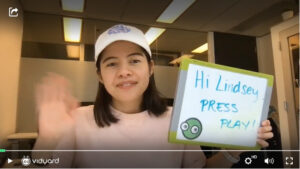
Jostle Marketing Development RepresentativeRegarding one-to-one video prospecting messages, this can mean including something highlighting that you made the video just for them. Many reps like to use a whiteboard, chalkboard, or magnet board to write the prospect’s name.
Consider using an animated GIF—the movement is hard to ignore. If you’re doing this, consider smiling and waving at the beginning of your video so the first thing your prospect sees is a friendly smiling face.
As with all other parts of your video, test what works best.
7. Write Relevant Supporting Message Copy
Video’s powerful, but it can’t stand completely alone. Be sure to call attention to it right from the outset.
You’ll also want to mention your video in the message’s body copy. Be sure to include a brief intro in your email copy before dropping in your video thumbnail. Use this text to provide some context about what the video’s about so prospects know why they should watch.
Think about where your video thumbnail belongs in your message too. A best practice is to write a line or two that’ll appear before and after your video.
SalesLoft analyzed more than 134 million emails to see what worked if you’re looking for a jumping-off point. They found that teams who place videos after the first 10% of email copy but before the halfway point see the biggest increase in replies.
There was also a bump for reps who included the video at the very end of their message, such as in the postscript.
And, of course, make sure you include some kind of call to action (CTA) and sign-off.
8. Include a Video CTA
Every sales message should direct the prospect to take the next steps, and your video prospecting is no different.
Be sure to include a CTA, both in your video and in your supporting copy. The video CTA can be as simple as you saying, “Reply to this email” in the video.
Adam Rataj, HubSpot Sales Manager Mid-Market, demonstrates an effective in-video CTA in this quick recording that he sends to people who’ve signed up for HubSpot’s free product.
Or, take things to the next level by using a plugin to add a calendar CTA so prospects can book a meeting directly from your video.
And don’t forget to reiterate your next steps in your video’s supporting message copy. The action you want prospects to take next should be crystal clear.
How to Record Amazing Prospecting Videos: 6 Top Tips to Improve Your Sales Outreach
Once you’re up and running, you can do a few simple things to ensure you get the most bang for your buck out of video.
1. Keep Your Prospecting Videos Short
When it comes to prospecting videos, shorter is almost always better. Cold outreach videos should be around 30 seconds long, up to 60 seconds maximum.
This means you must focus on your message’s most important part.
It’s a good way to show you respect the prospect’s time. Plus, people are more likely to watch your entire video if it’s shorter.
While 53% of people will watch a video all the way through, regardless of length, 65% will stick around to the end if it’s less than 60 seconds long, according to research from our Video in Business Benchmark Report.
Average Engagement for Different Lengths of Video
2. Dedicate Time Blocks for Video Recording
While it’s perfectly okay to record videos throughout the day as you need them, you’ll be much more efficient if you figure out what videos you’ll need that day (or week) and record them all in a single time block.
This lets you set your recording spot up once and helps you get into the video-making zone. Once you’re warmed up, recording dozens of videos will take no time.
3. Send Out Account-Level Prospecting Videos for Key Accounts
Whether your company does account-based marketing or not, this is a targeting tip that’ll up your video efficiency.
If you’re prospecting a group of people within the same company, you don’t need to record a personal, one-to-one video message for each one.
Instead, make a single video that’s customized to the organization (or even a team within it) and its specific needs. Send it to all of your contacts in that org.
This is a great way to keep things custom and personal but do it at scale.
4. Group Leads and Record One Video for Multiple Recipients
Odds are, your leads have a lot in common. Title, job function, industry, maybe even first name.
If you sit down ahead of recording and group leads together based on common attributes, you may be able to record one video that works for multiple people while still feeling customized to their unique needs.
5. Leverage a Folder of Pre-Recorded Prospecting Videos
Not every single video you send as part of your sales process has to be custom-recorded right at that moment.
If you find yourself answering the same question often or running through the same mini-demo script, consider recording a version of that video that you can keep handy in your library.
When I started getting the same questions over and over, I created one video and sent it to people… I send one video rather than drafting up an extremely complex email that’s going to be revised several times after I reread it and reread it. Or I could just explain it on a quick video, send it their way, and they’re happy as a clam.
Adam Rataj
HubSpot Sales Manager Mid-MarketYou can also take advantage of marketing-created videos, like explainers and demos.
This approach means you can send out that pre-recorded video anytime you need it rather than capturing it fresh each time. It’s a huge time saver and the sort of thing that’ll really let you scale your video efforts.
6. Don’t Be Afraid to Get Creative with Your Video Prospecting
Creative videos tend to be the most attention-grabbing and often get the best reactions. Prospects can’t resist replying when reps do something truly outside the box.
We try to always keep it very real and natural. For instance, a BDR may be shooting a call recap, and other team members will do a fly-by; photobomb into the frame to say ‘hi’. It helps customers put faces to names and to feel warmly welcomed.

Eric Simmons
MediaValet VP of SalesThis can be as simple as holding up a product from the prospect’s company (if they make physical products), visually aligning yourself with some interest of theirs (for instance, by wearing a jersey from their favorite sports team), or wishing them a happy birthday/holiday/etc. with some kind of prop.
It can also be as elaborate as wearing some sort of costume, changing locations, or scripting a bit of a story for your video. We know one rep who dressed up as Sherlock Holmes and another who recreated the oversized message card scene from Love Actually (yes, it worked).
In this excellent video prospecting example, Morgan uses her prospect’s passion for delivering a great analogy with an impossible-to-resist thumbnail.
What are you waiting for? Give video prospecting a try today and reap the benefits.
Get more responses and book more meetings with video prospecting.
This post was originally published on January 23, 2019. It was updated on July 14, 2023.